
Create an using Two References: 1 Identity
How to using two references: (1) identity reference for the woman’s face and hair, (2) depth-map reference as a hard constraint for pose.
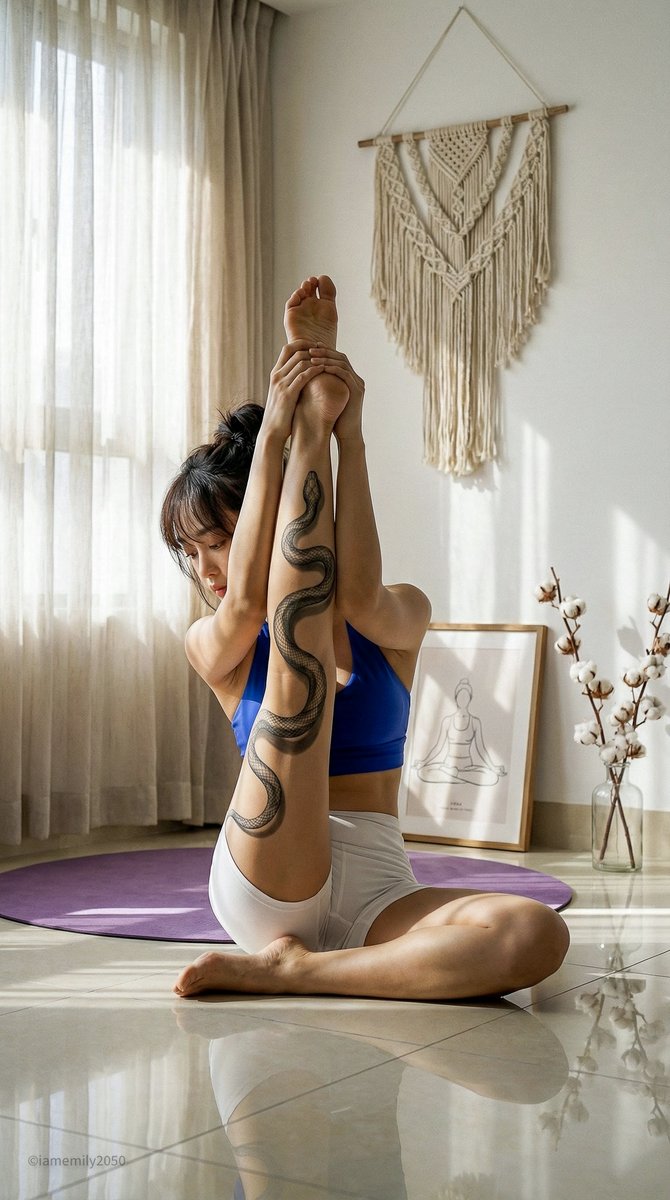
0
Times used
0
Likes
Mastering Character Consistency and Pose Control with Orno's "Two References: 1 Identity" Style
In the rapidly evolving world of AI image generation, control is the ultimate currency. Creators, artists, and enthusiasts often face a common, frustrating hurdle: the struggle for consistency. You generate the perfect character, with a face and style you love, only to lose them in the next prompt, replaced by a digital stranger. How do you place that specific character into a dynamic, precise pose without endless re-rolls and prompt battles? The answer lies in a revolutionary technique, and Orno's AI image editor puts it directly at your fingertips: the "Create an using Two References: 1 Identity" style.
This powerful feature is more than just another filter; it's a complete workflow for achieving unprecedented control over your AI creations. It elegantly solves two of the biggest challenges in generative AI: maintaining character identity and dictating exact poses. If you're ready to move beyond random chance and start directing your AI art with intention, this guide will walk you through everything you need to know about this game-changing style.
What Exactly is the "Two References: 1 Identity" Style?
At its core, this Orno style is an advanced image-to-image technique that intelligently combines three distinct inputs to produce one cohesive, high-quality result. It deconstructs the creative process, allowing you to specify the "who" and the "how" separately from the "what" and "where." Let's break down the two critical references you'll be using:
- Reference 1: The Identity Reference. This is your anchor for character consistency. You provide a source image that contains the face and hair you want your final character to have. The AI meticulously analyzes the facial features, structure, hair color, and style from this image and uses it as the foundational identity for your new creation. This is the key to defeating the "random face syndrome" and creating a series of images with the same recognizable character.
- Reference 2: The Depth-Map Reference. This is your tool for absolute pose control. Instead of a regular photo, you provide a depth map. A depth map is a grayscale image where brightness indicates distance from the viewer—white is closest, black is farthest, and shades of gray represent everything in between. The AI interprets this map not as a visual style, but as a "hard constraint" for the three-dimensional pose of the subject. It forces the generated character to conform precisely to the posture defined in the depth map, from the tilt of the head to the position of the limbs.
When you combine these two references with a descriptive text prompt (which fills in details like clothing, background, and lighting), Orno’s advanced AI model synthesizes them into a final image. The result is a character with the face you chose, in the exact pose you commanded, set within the scene you described. It's the ultimate trifecta of creative control.
Why This AI Generation Style is a Game-Changer for Creators
The ability to separate identity from pose opens up a new universe of creative possibilities. This isn't just an incremental improvement; it fundamentally changes how you can approach projects involving AI-generated visuals.
Achieve Unprecedented Character Consistency
For storytellers, brand managers, and comic artists, character consistency is non-negotiable. The "Two References" style makes it simple to create a character and then place them in countless scenarios. Imagine developing a mascot for your brand and being able to generate images of them in a business meeting, hiking a mountain, or relaxing on a beach—all while maintaining the same recognizable face. This workflow is perfect for:
- Digital Storytelling & Comic Books: Create consistent protagonists and antagonists for your visual narratives.
- Social Media & Branding: Develop a consistent digital avatar or brand personality across all your content.
- Conceptual Art for Games & Film: Explore different outfits and environments for a specific character design without losing their core identity.
Exercise Total and Precise Pose Control
Text prompts, while powerful, can be ambiguous when describing complex human poses. Phrases like "a woman lunging forward with a sword" can result in hundreds of variations, many of them awkward or anatomically incorrect. A depth map reference removes all ambiguity. It provides a structural blueprint that the AI must follow. This precision is invaluable for:
- Dynamic Action Scenes: Capture the perfect moment of a dance, a fight, or an athletic feat with confidence.
- Subtle Emotional Expression: Control body language to convey specific emotions—a slight slump of the shoulders for sadness, a confident stance, or a curious head tilt.
- Complex Compositions: Ensure your subject interacts with the environment exactly as you envision, whether they're leaning against a wall or sitting in a specific chair.
Boost Your Creative Efficiency and Workflow
By removing the guesswork, you save an incredible amount of time and creative energy. No more spending hours tweaking prompts and generating dozens of images, hoping to get lucky with the right combination of face and pose. With Orno's "Two References" style, your workflow becomes more intentional and efficient. You define the core elements upfront, allowing you to focus your creative energy on refining the details of the scene, lighting, and mood.
A Step-by-Step Guide to Using the Style in Orno
Ready to take the director's chair? Using this advanced style in the Orno AI image editor is intuitive. Here’s how to get started:
Step 1: Choose Your Identity Reference Image
This is the "face" of your operation. The quality of this image will directly impact the final result. For best results, select an image where:
- The face is clear, well-lit, and in focus.
- The subject is facing forward or in a three-quarter view.
- There are no heavy shadows, obstructions (like sunglasses or hands), or extreme expressions that might distort the features.
You can use a photograph of a real person (always with permission!), a 3D model render, or even a previous AI generation that you love.
Step 2: Find or Create Your Depth-Map Reference
This is your pose blueprint. If you're new to depth maps, don't worry. You don't need to be a 3D artist to use them. You can:
- Find them online: Search for "human pose depth map" on image databases. Many 3D artists and AI communities share resources.
- Generate them from an image: Many tools, including some ControlNet preprocessors, can analyze a regular photograph and estimate its depth, creating a map for you. You can find a photo with a pose you like and convert it.
- Create them in 3D software: If you use tools like Blender or Daz 3D, you can pose a model exactly how you want and render a depth pass. This offers the most control.
Step 3: Craft a Descriptive Text Prompt
Your two reference images handle the "who" and the "how," but your text prompt handles everything else. This is where you describe the artistic style, the environment, the clothing, and the lighting. Your prompt should focus on the elements not defined by the references.
Example Prompt: "Photorealistic portrait of a woman, wearing a black leather jacket, standing on a neon-lit city street at night, cinematic lighting, shallow depth of field, detailed skin texture, shot on a Sony A7III."
Step 4: Generate and Refine in Orno
Now, bring it all together in the Orno interface. Simply upload your identity image to the first reference slot, upload your depth map to the second reference slot, and enter your carefully crafted text prompt. Click "Generate" and watch as Orno’s AI masterfully combines all three inputs into a stunning, coherent image that matches your vision with incredible accuracy.
Frequently Asked Questions (FAQ)
- What is a depth map in the context of AI image generation?
- A depth map is a grayscale image used to provide 3D spatial information to an AI model. In this style, it functions as a powerful control mechanism (similar to ControlNet) to define the exact pose and position of a subject in 3D space, ensuring the generated image adheres to that structure.
- How can I ensure my AI-generated characters look consistent across multiple images?
- The "Two References: 1 Identity" style is the definitive solution. By using the exact same identity reference image for every generation, you command the AI to replicate the same facial features and hair, creating true character consistency for your projects.
- Can I use a photo of myself as the identity reference?
- Yes, you can. However, always be mindful of privacy and consent. If using a photo of yourself, you have full control. If using a photo of someone else, ensure you have their explicit permission to do so. Orno is a tool for creativity, and we encourage its responsible and ethical use.
- What is the difference between this style and a simple AI face swap tool?
- A face swap tool typically just cuts and pastes a face onto another body, often with mismatched lighting and poor integration. Orno's style is far more advanced. It generates a completely new image from scratch, using the identity reference for the face/hair and the depth map for the pose, ensuring all elements—lighting, skin tone, and perspective—are perfectly blended and coherent.
- Do I need a powerful computer to use this technique?
- Not at all! All the heavy processing is handled by Orno's powerful cloud-based servers. As long as you have an internet connection and a web browser, you can access and use this advanced AI image generation style from any device.
Unlock Your Creative Vision with Orno
The "Create an using Two References: 1 Identity" style represents a major leap forward in accessible, powerful AI art creation. It transforms the process from one of chance to one of deliberate direction. By giving you separate, granular control over identity and pose, Orno empowers you to bring the characters in your head to life with more precision and consistency than ever before.
Stop wrestling with your prompts. Stop settling for "close enough." It's time to become the true director of your digital canvas. Upload your references, write your scene, and discover the future of controlled, consistent AI image generation. Try the Two References: 1 Identity style in Orno today!
Use This Prompt
Transform your images with AI
Save this prompt as its own icon for one-tap access.