
Create an use The Same Facial Features 3
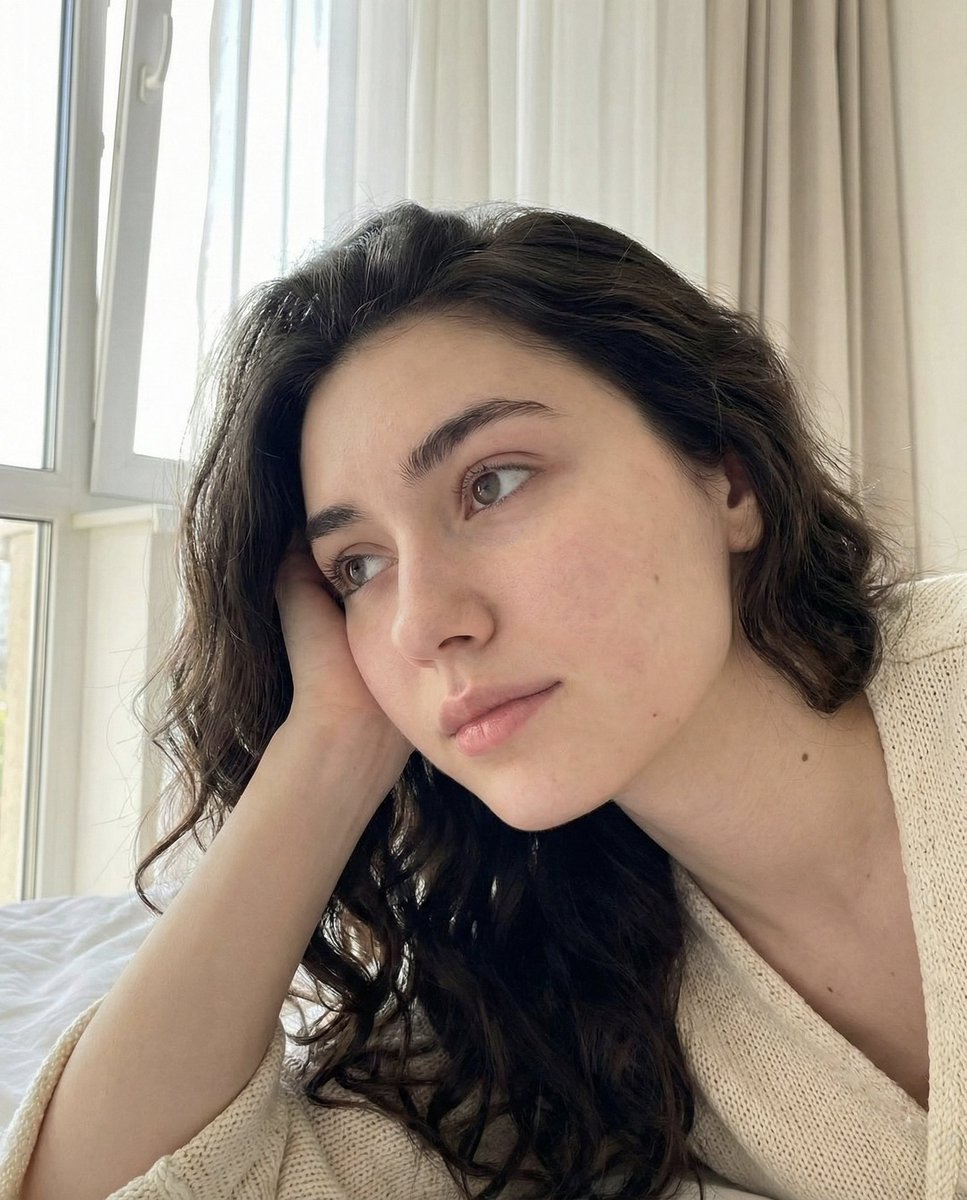
How to use the same facial features, expression, and identity from the uploaded image without altering any facial structure, proportions, or features.
0
Times used
0
Likes
Unlock Perfect Facial Consistency in AI Art with Orno
In the revolutionary world of AI image generation, one challenge has consistently stumped creators, marketers, and artists alike: character consistency. You’ve spent hours crafting the perfect prompt, generating a character with a look you love, only to find it impossible to replicate that same person in a new scene or pose. The result? A gallery of “digital cousins” who look similar, but are distinctly different. This frustrating inconsistency shatters the illusion for storytelling, dilutes brand identity, and limits creative potential. But what if there was a way to lock in a person's unique identity—every subtle facial feature, proportion, and even their expression—and transport them into any world you can imagine?
Introducing Orno’s groundbreaking style: Create an use The Same Facial Features 3. This isn’t just another face swap tool; it’s a sophisticated AI model designed to solve the core problem of facial identity preservation. It allows you to upload a source image and use its exact facial structure, features, and expression as a perfect blueprint for your new creations. With Orno, you can finally generate multiple images of the same person with unparalleled accuracy, opening up a new frontier for creativity and consistency.
The Common Struggle: Why AI Fails at Character Consistency
Traditional text-to-image AI models, like many found in Midjourney or standard Stable Diffusion interfaces, excel at interpreting concepts and styles from text prompts. However, they generate images from a statistical understanding of data, not from a persistent memory of a specific person. When you prompt for “a woman with red hair and green eyes,” the AI generates a woman who fits that description, not the same woman every time.
Attempts to solve this have included:
- Using Seed Numbers: While using the same seed number can produce similar results for the same prompt, it falls apart the moment you change the prompt to a new scene or action.
- Complex Prompt Engineering: Some experts try to describe a face with excruciating detail, but this is often unreliable and can’t capture the unique, subtle essence of an individual's face.
- Basic Face Swapping: Many tools simply cut and paste a face onto another body, often resulting in poor lighting, unnatural angles, and a jarring, "photoshopped" look. They fail to integrate the face into the new image’s environment and style.
These limitations are a major roadblock for anyone looking to build a narrative, create a consistent brand persona, or simply produce a series of portraits of the same individual. This is precisely the problem Orno’s Create an use The Same Facial Features 3 style was engineered to solve.
How Orno's "Same Facial Features 3" Style Redefines AI Portraits
This powerful style is built on a simple yet profound principle: use the uploaded image as the definitive source of truth for facial identity. The AI meticulously analyzes the source photo, understanding not just the "what" (eyes, nose, mouth) but the "how"—the precise spatial relationships, proportions, and unique characteristics that make a face recognizable. It then intelligently applies this facial data to the new context you provide in your text prompt.
Key Benefits of This Revolutionary Approach:
- Flawless Identity Preservation: This is the core advantage. The style preserves the exact facial structure without any alteration. The jawline, the distance between the eyes, the shape of the nose—every feature is transferred with stunning accuracy, ensuring you are generating the same person every single time. -
- Maintains Original Expression: Unlike other tools that might try to guess an appropriate expression, this style can lock in the expression from your source image. If your subject is smiling, they’ll be smiling in the generated image. This gives you incredible control over the mood and tone of your creations.
- Seamless Scene and Style Integration: The true magic lies in how Orno blends the preserved face with a completely new environment. Your text prompt dictates the scene, clothing, lighting, and artistic style, and the AI masterfully renders the character within that new world, making it look natural and cohesive.
- Effortless and Intuitive: Achieving consistent characters on other platforms can require training custom models (like LoRAs) or using complex multi-prompting techniques. With Orno, it's as simple as uploading a photo, selecting a style, and writing a prompt. Professional results are now accessible to everyone.
A Step-by-Step Guide: Using "Same Facial Features 3" in Orno
Ready to bring your characters to life with perfect consistency? Using this style in the Orno AI image editor is incredibly straightforward. Follow these simple steps to get started.
Step 1: Choose an Effective Source Image
The quality of your output depends heavily on the quality of your input. For best results, upload a source image that is:
- Clear and Well-Lit: Avoid heavy shadows, motion blur, or low-resolution images. The AI needs to clearly see the facial features.
- Front-Facing or Three-Quarters View: While the tool is powerful, a clear view of the face provides the most data for the AI to work with.
- Unobstructed: Try to use a photo where the face isn't covered by hands, hair, or objects.
Step 2: Select the "Create an use The Same Facial Features 3" Style
Once your image is uploaded, navigate to Orno’s style library. You'll find Create an use The Same Facial Features 3 among the options. Simply click to select it. This tells the Orno engine to prioritize the facial identity from your uploaded photo above all else.
Step 3: Craft Your Descriptive Text Prompt
This is where your creativity takes flight. Your text prompt should describe everything except the face. Think about the new context you want to place your character in. Be as descriptive as you like!
Prompting examples:
- For a photorealistic look: "A corporate headshot of the person wearing a sharp navy blue suit, in a modern office with soft window lighting, 8k, photorealistic."
- For a fantasy scene: "The person as a powerful elven warrior, wearing ornate silver armor, standing in an enchanted forest at dusk, fantasy art, cinematic lighting."
- For an artistic style: "A vibrant watercolor painting of the person, sitting on a park bench in autumn, surrounded by falling leaves, style of Steve Hanks."
- For a fun avatar: "The person as a character in an animated movie, wearing a futuristic space helmet, digital art, vibrant colors, 3D render."
Step 4: Generate and Admire
Click the "Generate" button and watch as Orno combines your source image’s identity with your creative prompt. In seconds, you’ll have a brand new image that features the exact same person in a completely different world. From here, you can generate more variations, tweak your prompt, or start a new creation with the same consistent face.
Who is This For? Practical Applications and Use Cases
The ability to maintain character consistency is a game-changer across numerous fields.
For Marketers & Brands
Create a consistent virtual influencer or brand mascot that can be used across all your social media channels and advertising campaigns. Generate dozens of ad creatives featuring the same "model" in different situations, saving thousands on photoshoot costs while maintaining a cohesive brand image.
For Authors & Content Creators
Finally, you can visualize the characters from your stories. Generate concept art, character sheets, or even full-blown illustrations for a graphic novel with a character that looks the same from one panel to the next. Build a compelling narrative on Instagram or TikTok with a series of images featuring a recurring protagonist.
For Personal Projects & Fun
Craft the ultimate personalized avatar for your gaming profiles and social media accounts. See what you would look like as a character from your favorite movie, a historical figure, or a piece of classical art. Create hilarious and imaginative portraits of friends and family to share.
Frequently Asked Questions (FAQ)
What is the best type of source image for the "Same Facial Features 3" style?
A high-quality, clear, and well-lit photo where the face is clearly visible works best. A forward-facing portrait or a three-quarters view is ideal. The higher the resolution of the facial features, the more accurately the AI can replicate them.
Does this style change the facial expression from the source image?
The "Create an use The Same Facial Features 3" style is specifically designed to preserve the expression from the uploaded image. This provides maximum consistency. If you want the AI to generate a new expression, you might consider trying other styles in the Orno library, though they may not offer the same level of facial structure preservation.
Is this just an AI face swap?
No, it's far more advanced. A typical face swap often just pastes a 2D image of a face onto another photo, leading to mismatches in lighting, angle, and skin tone. Orno's style rebuilds the person in a new 3D space, intelligently integrating the preserved facial identity into the generated scene’s lighting, style, and composition for a natural and believable result.
Can I use this to generate images in different artistic styles, like anime or oil painting?
Absolutely! The facial preservation works independently of the artistic style. You can instruct Orno to create a "ghibli-style anime portrait," "an oil painting in the style of Rembrandt," or a "3D-rendered character," and the AI will apply that style to the entire scene while keeping the core facial identity intact.
Why is character consistency so important for AI image generation?
Consistency is the key to believability and connection. For storytelling, it allows an audience to follow a character's journey. For branding, it builds recognition and trust. For personal art, it allows for true self-expression. Without consistency, AI-generated images remain a collection of disconnected, one-off creations. Orno turns them into a powerful tool for continuous and coherent visual communication.
Your Creative Vision, Now with Perfect Consistency
The barrier to creating consistent, believable characters in AI art has been broken. With Orno's Create an use The Same Facial Features 3 style, you are no longer at the mercy of the AI's random interpretations. You have the ultimate control to direct your creative vision, ensuring your characters remain true to form across every image and every story you tell.
Stop generating digital cousins and start creating your consistent digital identity. Try the Orno AI image editor today and experience the future of character creation.
Use This Prompt
Transform your images with AI
Save this prompt as its own icon for one-tap access.