
Create an use The Same Facial Features 2
How to use the same facial features, expression, and identity from the uploaded image without altering any facial structure, proportions, or features.
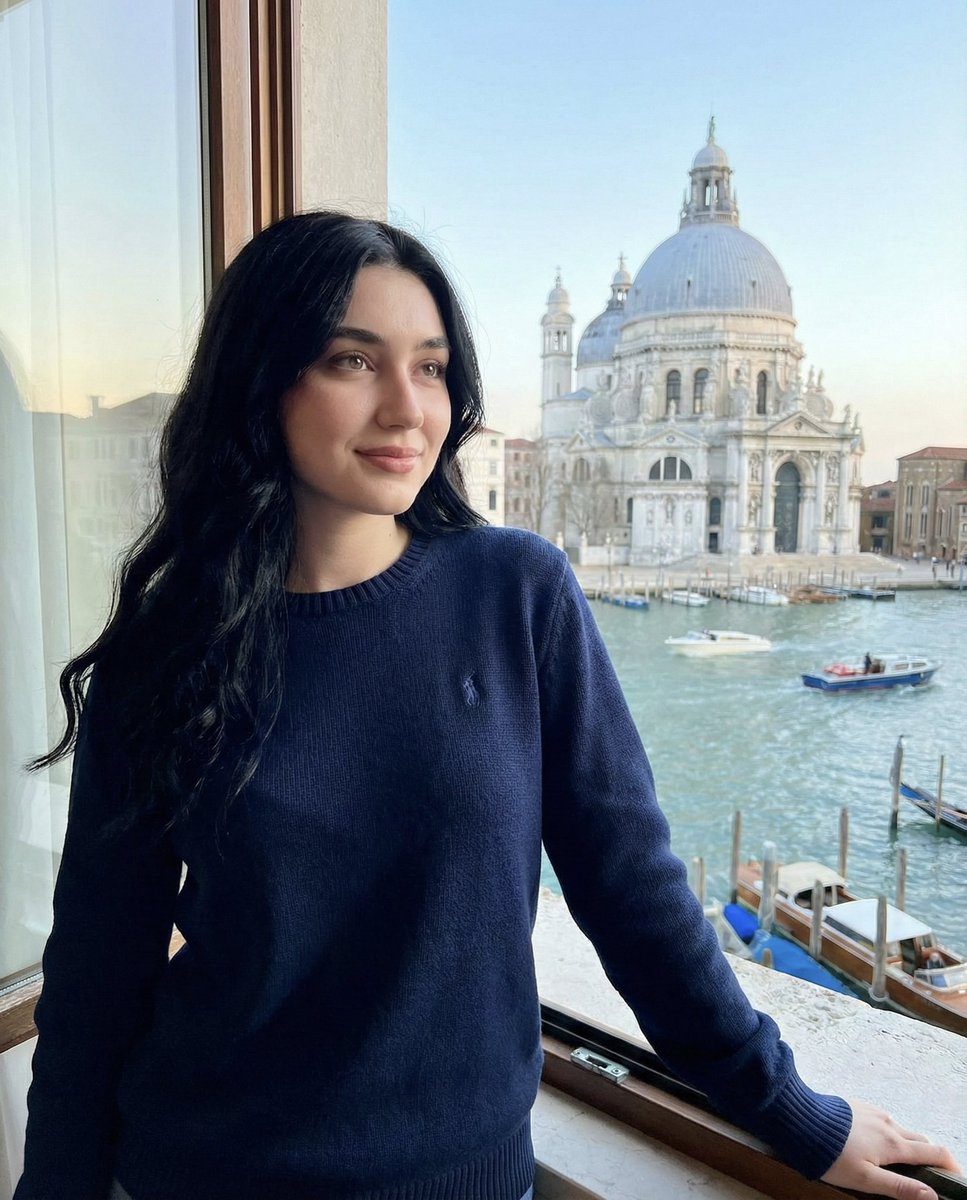
0
Times used
0
Likes
Unlock Perfect Facial Consistency with Orno’s “Create an use The Same Facial Features 2” Style
Have you ever spent hours crafting the perfect AI image, only to generate the next scene and find your character is suddenly a complete stranger? The struggle is real. Achieving character consistency, especially in the face, has long been one of the biggest challenges in AI image generation. A slightly different nose, a change in eye shape, or a completely new jawline can break the narrative illusion and cause immense frustration. But what if you could lock in a person's identity and use their exact facial features across countless creations? Welcome to the solution: Orno’s groundbreaking style, “Create an use The Same Facial Features 2.”
This powerful feature is more than just a face swap; it’s a digital identity lock. It’s designed to take a reference image and meticulously preserve every detail of the subject's face—the structure, proportions, unique features, and even the original expression—while giving you complete creative freedom over everything else. Whether you're a storyteller building a world, a marketer creating a brand persona, or an individual wanting to place yourself in fantastical new realities, this guide will show you how to master facial consistency and elevate your AI-generated art with Orno.
What is "Create an use The Same Facial Features 2"? A Deep Dive into Identity Preservation
At its core, the “Create an use The Same Facial Features 2” style is an advanced AI model within Orno dedicated to one crucial task: maintaining facial integrity. Unlike other AI tools that might try to interpret or blend facial features, this style acts as a precise blueprint. When you upload a source image, the AI analyzes and maps the facial data with incredible accuracy.
The "No Alteration" Philosophy
The key principle behind this style is its “no alteration” philosophy. This means it is programmed to avoid:
- Altering Facial Structure: The shape of the jaw, the width of the cheekbones, and the structure of the forehead remain identical to the source image.
- Changing Proportions: The distance between the eyes, the length of the nose, and the placement of the mouth are perfectly preserved. Your character won't suddenly have a longer face or wider-set eyes.
- Modifying Unique Features: Freckles, beauty marks, scars, and specific contours are treated as essential parts of the identity and are faithfully reproduced.
- Changing the Expression: This is a critical point. The style captures the expression from your uploaded photo. If your subject is smiling, the generated character will be smiling. If they have a neutral expression, that will be the expression in the final image. It ensures the mood of the face is as consistent as its structure.
This precision separates it from basic face-swapping technologies, which often result in an “uncanny valley” effect where the new face doesn’t quite fit the lighting or angle of the new image. Orno’s model intelligently integrates the preserved face into the new scene, ensuring a seamless and photorealistic result.
Why is Maintaining Facial Identity Crucial in AI Art?
The ability to generate multiple images of the same person with AI isn't just a novelty; it's a game-changer for creativity and communication. Consistent facial features build recognition, trust, and narrative cohesion.
For Storytellers, Comic Artists, and Filmmakers
Imagine creating a graphic novel where your protagonist looks different in every panel. It would be impossible for the audience to connect with them. With “The Same Facial Features 2,” you can generate your main character in countless scenarios—fighting a dragon, navigating a cyberpunk city, or having a quiet conversation—all while ensuring they remain instantly recognizable. This is the key to compelling visual storytelling.
For Marketers and Brands
Building a brand often involves creating a relatable persona, mascot, or virtual influencer. Facial consistency ensures your brand’s representative is always on-message and familiar to your audience. You can generate a library of marketing assets featuring the same AI-generated model for social media campaigns, website banners, and advertisements, strengthening your brand identity with every image.
For Content Creators and Personal Use
Ever wanted to see yourself as an astronaut, a fantasy elf, or a character in a vintage film? This style allows you to do just that without losing your likeness. Create stunning, personalized AI avatars for your social media profiles, design unique profile pictures, or simply explore your own identity through the lens of digital art. It’s the ultimate tool for self-expression in the AI era.
How to Use "Create an use The Same Facial Features 2" in Orno: A Step-by-Step Guide
Orno makes this advanced technology incredibly simple to use. You don't need any technical skills to achieve perfect facial consistency. Just follow these steps:
- Step 1: Upload Your Reference Image. Start by selecting a high-quality photograph of the face you want to use. For best results, choose a clear, front-facing, and well-lit image where the facial features are not obscured by shadows, hair, or hands.
- Step 2: Write Your Descriptive Prompt. This is where you build the world around the face. Your text prompt should describe the scene, the clothing, the background, the lighting, and the overall artistic style. For example: “A portrait of a woman as a starship captain on the bridge of her vessel, cinematic lighting, futuristic uniform, looking out a viewport at a nebula, detailed sci-fi concept art.”
- Step 3: Select the "Create an use The Same Facial Features 2" Style. In the Orno style library, navigate to and select this specific style. Activating it tells the AI to prioritize the facial data from your uploaded image above all else.
- Step 4: Adjust Image Guidance (Optional). In the advanced settings, you might find a slider for "Image Guidance" or "Style Strength." Increasing this value tells the AI to adhere even more strictly to the reference photo, which is ideal for this specific style. Start with a high setting for maximum fidelity.
- Step 5: Generate and Marvel. Click the generate button and watch as Orno creates a stunning new image that combines your creative prompt with the exact face from your reference photo. From here, you can refine your prompt to create endless variations.
Pro Tips for Flawless Results
To get the most out of this powerful feature, keep these expert tips in mind.
Choosing the Perfect Reference Photo
The quality of your input directly impacts the quality of your output. Your reference photo should be:
- High-Resolution: A sharp, clear image provides the AI with more data to work with.
- Well-Lit: Avoid harsh shadows or overexposure. Soft, even lighting that clearly illuminates all facial features is best.
- Front-Facing or Slight Angle: A direct or three-quarter view of the face works better than a profile shot.
- Unobstructed: Ensure the face is free from obstructions like sunglasses, heavy makeup that alters features, or hair covering the eyes.
Crafting Prompts That Complement the Face
Since the face and expression are locked by your reference image, focus your text prompt on the context. Instead of describing facial features in your prompt (e.g., "blue eyes, sharp jawline"), describe the elements you want to change:
- Bad Prompt Example: "Photo of a man with brown hair and a smile, wearing a business suit in an office." (If your reference photo has blonde hair and a neutral expression, this will conflict.)
- Good Prompt Example: "Professional corporate headshot, a person wearing a navy blue business suit, in a modern high-rise office with a blurred background, soft window lighting." (This lets the reference image define the person and the prompt define the setting.)
Experiment with Combining Styles
The “The Same Facial Features 2” style can serve as a foundational layer. Once you’ve locked in the face, you can experiment by adding a second style from Orno’s library, like "Vintage Film" or "Vibrant Fantasy," to influence the overall aesthetic of the image while keeping the face consistent.
Frequently Asked Questions (FAQ)
Does "Create an use The Same Facial Features 2" change the expression on the face?
No, it does not. The style is designed to preserve the expression from the original uploaded photo. If you want a smiling character, you must upload a reference photo of the person smiling. This ensures the emotional tone of the face remains consistent and authentic.
What is the best type of photo to upload for this style?
A clear, high-resolution portrait or headshot with good, even lighting and a direct view of the face is ideal. Avoid photos with strong shadows, obstructions, or extreme angles.
Can I use this style to make a character look older or younger?
This style is not designed for age modification, as that would require altering facial structure and features. It is built for 1:1 replication. To create an older or younger version, you would need to use a different tool or technique focused on age progression/regression.
How is this different from a simple AI face swap?
A simple face swap often just pastes a 2D cutout of a face onto another body, which can lead to poor integration with lighting, skin tone, and head angle. Orno's style intelligently rebuilds the head and face within the new 3D space of the generated scene, ensuring a seamless, natural, and high-fidelity result.
Will my generated image look photorealistic?
The realism of the face will be directly inherited from your reference photo. The realism of the rest of the image depends on your text prompt. You can prompt for "photorealistic," "oil painting," "anime style," or any other aesthetic. The face will be integrated into that style as realistically as possible.
Can I use this for creating characters from scratch?
This specific style requires a real photo as a reference to lock the facial features. To create a consistent character from your imagination, you would first generate a face you like using a standard text-to-image prompt, and then use that generated image as the reference for all subsequent images with the "The Same Facial Features 2" style.
The era of inconsistent AI characters is over. With Orno’s “Create an use The Same Facial Features 2” style, you now hold the power to achieve perfect continuity in your creative projects. You can build narratives, establish brand identities, and explore new worlds with a consistent, recognizable digital self or character. Ready to bring your vision to life with unparalleled accuracy? Try Orno today and take control of your creative identity.
Use This Prompt
Transform your images with AI
Save this prompt as its own icon for one-tap access.