
Create an use The Same Facial Features
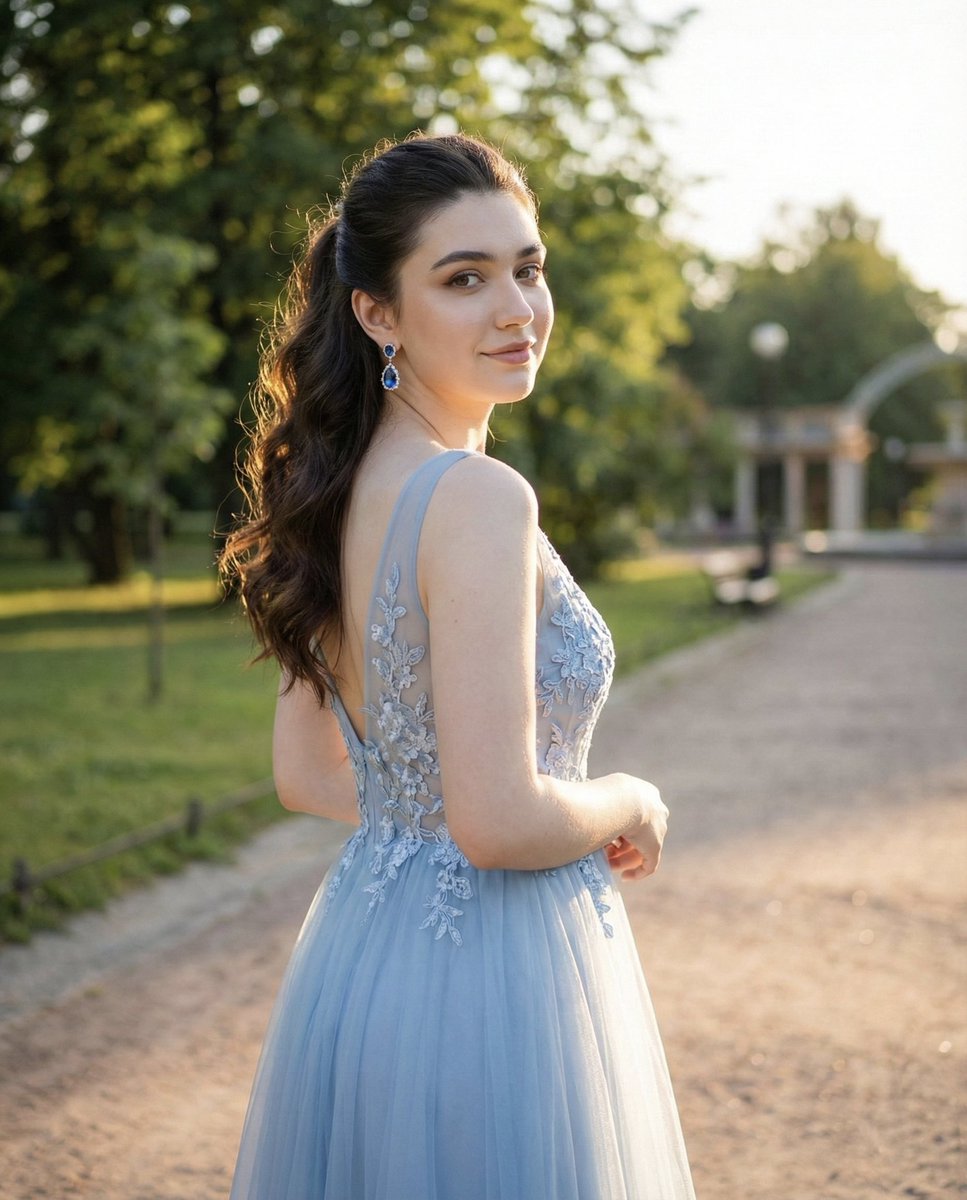
How to use the same facial features, identity, and soft expression from the uploaded image without altering proportions or structure.
0
Times used
0
Likes
Unlocking True Character Consistency: The Power of "Use The Same Facial Features"
In the electrifying world of AI image generation, there's one common frustration that unites creators of all levels: the struggle for consistency. You spend hours crafting the perfect prompt, generating a character with a captivating face and unique identity, only to lose them in the very next image. A slight change in the prompt—a different outfit, a new background—and a stranger appears in their place. This inconsistency shatters the narrative, breaks the illusion, and can halt a creative project in its tracks. Orno is here to change that.
Introducing one of our most groundbreaking styles: Use The Same Facial Features. This isn't just another filter or a simple face swap. It's a sophisticated AI-powered tool designed with one core purpose: to give you the power to maintain a character's facial identity across countless generations. Imagine creating a visual story, a marketing campaign with a consistent virtual influencer, or a series of fantasy portraits of yourself, all with the same recognizable face. This is the new frontier of creative control, and Orno puts it directly at your fingertips.
This powerful style intelligently analyzes the key facial characteristics of an uploaded reference image—the unique shape of the eyes, the curve of the nose, the structure of the jawline, and the subtle expression—and locks them in. It then masterfully applies these features to any new scene you describe in your prompt, ensuring your character remains perfectly consistent, no matter the adventure you send them on.
Why is Maintaining Facial Identity So Crucial in AI Art?
The ability to create consistent characters with AI isn't just a novelty; it's a fundamental necessity for meaningful creation. It elevates AI-generated art from a collection of random, disconnected images into a cohesive and powerful medium for expression and storytelling. Here’s why maintaining facial identity is a game-changer for various creators:
- For Storytellers & Comic Creators: A story needs a protagonist. With the "Use The Same Facial Features" style, you can create a consistent hero for your graphic novel, webcomic, or children's book. Follow them from a bustling futuristic city to an enchanted forest, with every panel featuring the same recognizable and emotionally resonant face.
- For Marketers & Brands: Build a memorable brand identity with a consistent AI-generated mascot or virtual influencer. Use the same character across your website, social media posts, and advertising campaigns to create a strong, recognizable brand presence that connects with your audience.
- For Digital Artists & Designers: Develop a portfolio with a clear, focused theme. Create a series of portraits of the same "muse" in different artistic styles—from photorealistic to impressionist to cyberpunk—showcasing your versatility while maintaining a cohesive body of work.
- For Personal Projects & Fun: Ever wanted to see yourself as an astronaut, a medieval knight, or a character in your favorite movie? Orno’s AI allows you to become the hero of your own story. Upload your photo and generate stunning, imaginative portraits where you are instantly recognizable, opening up a world of creative self-expression.
A Step-by-Step Guide: How to Use the "Same Facial Features" Style in Orno
We've designed this feature to be incredibly powerful yet remarkably simple to use. You don't need to be a prompt engineering wizard or a technical expert to achieve perfect AI face consistency. Follow these simple steps to bring your characters to life.
Step 1: Upload Your Reference Image
The foundation of a great result is a great reference. Choose a clear, well-lit photograph of the face you want to replicate. For the best results, use a photo that is front-facing or slightly off-center, where the facial features are not obscured by hair, hands, or heavy shadows. A neutral or soft expression works best, as the AI will capture and carry this subtle emotion into the new images.
Step 2: Select the "Use The Same Facial Features" Style
Once your image is uploaded, navigate to Orno's extensive style library. You'll find the "Use The Same Facial Features" style prominently featured. Simply click to select it. This tells the Orno AI to prioritize the facial identity from your uploaded image above all else, treating it as the anchor for the new creation.
Step 3: Craft Your Creative Prompt
This is where the magic happens. Your text prompt no longer needs to describe the person's face. The AI already has that information from your reference image. Instead, focus entirely on describing the new scene, the environment, the clothing, the lighting, and the artistic style. Be descriptive and imaginative!
Here are some prompt examples:
- "A close-up portrait of the person as a rugged space explorer, wearing a futuristic helmet, cinematic lighting, background of a spaceship cockpit."
- "The person as a 1920s jazz singer on stage, art deco style, soft vintage lighting, holding a microphone."
- "An oil painting of the person as a royal monarch, wearing ornate robes and a crown, sitting on a throne."
- "The character standing in a neon-lit alley in Tokyo at night, cyberpunk aesthetic, photo-realistic."
Step 4: Generate and Refine
Click "Generate" and watch as Orno combines the identity from your photo with the world from your prompt. The beauty of this process is its repeatability. You can keep the same reference image and style selected and simply change the prompt to create an entire series of images featuring the exact same person in dozens of different scenarios.
Advanced Tips and Tricks for Perfect Facial Consistency
Ready to take your character creation to the next level? Here are some pro tips from our team to help you master the art of AI character consistency.
Choosing the Perfect Reference Image
While Orno's AI is robust, the quality of your input directly influences the output. A high-resolution photo with a clean, uncluttered background allows the AI to focus solely on the facial features. Avoid photos with harsh, dramatic lighting (like strong side-shadows) or extreme camera angles (from high above or far below), as these can distort proportions that the AI will then try to replicate.
The Art of the Prompt: Blending Face and Scene
Your prompt is a powerful tool for integration. Mentioning lighting conditions (e.g., "golden hour lighting," "dramatic cinematic lighting," "soft neon glow") helps the AI realistically apply that light and shadow to the contours of the reference face. This ensures the character doesn't look "pasted on" but truly belongs in the new environment.
Combining Styles for Unique Results
Don't be afraid to experiment! The "Use The Same Facial Features" style can be stacked with other Orno styles. Want a consistent character in a vintage photo? Select both styles. Need a clay-mation version of your friend? Combine this style with our "Clay" or "Miniature" styles. This layering capability unlocks limitless creative potential.
Orno vs. Other Methods: Why Our Approach is Superior
Achieving consistent faces in AI art has traditionally been a complex, technical challenge. Orno's one-click style streamlines this process, offering a superior alternative to other common methods.
- Text-to-Image Prompts Alone: Relying on descriptive text like "woman with brown hair and blue eyes" will produce a different person with every generation. There is no identity retention.
- Basic Face Swapping Tools: Many face swap AIs perform a crude cut-and-paste, often resulting in uncanny images with mismatched lighting, skin tones, and resolutions. They fail to integrate the face into the new scene artfully.
- Complex Training Models (e.g., LoRA): While powerful, training a custom AI model on a set of faces requires significant technical skill, dozens of photos, and a lot of time. Orno provides near-instant results from a single reference image, making it accessible to everyone.
Orno’s "Use The Same Facial Features" provides the perfect balance of power, quality, and ease of use, delivering professional-grade character consistency without the steep learning curve.
Frequently Asked Questions (FAQ)
Does this style change the person's age or gender?
No, the core function of this style is to preserve the identity of the person in the reference photo. It will maintain their perceived age, gender, and unique facial features without alteration.
Can I use a cartoon or drawing as a reference image?
While the tool is primarily optimized for photographic faces, you can certainly experiment with stylized art! The AI will attempt to capture the core facial structure and features of the drawing and apply them to the new scene, which can lead to incredibly unique and creative results.
What's the best type of photo to upload for consistent results?
A clear, high-resolution, forward-facing portrait with good, even lighting and a simple background will always yield the best and most consistent results. Avoid sunglasses, hats that cast shadows, or anything that obscures the main facial features.
How does this differ from a "face swap"?
A face swap typically just pastes one face onto another body, often ignoring lighting, skin tone, and style. Orno’s feature is an integral part of the image generation process. It rebuilds the entire image from scratch, ensuring the face is perfectly integrated into the new scene with matching lighting, texture, and artistic style for a seamless, believable result.
Will the AI copy the background from my reference image?
No. The AI is trained to isolate and analyze only the facial features. The background, clothing, and environment from your reference photo will be ignored. The new scene is determined entirely by your text prompt.
Can I use this feature to create a consistent character for my comic book?
Absolutely! This is one of the most popular uses for the style. You can establish your main character with a single reference image and then generate them in every panel and scene you need, ensuring your readers always recognize them.
The era of inconsistent, frustrating AI character generation is over. Orno puts the power of narrative and identity back in your hands. Ready to bring your characters to life with perfect consistency and unlock a new level of creative freedom? Try Orno's "Use The Same Facial Features" style today!
Use This Prompt
Transform your images with AI
Save this prompt as its own icon for one-tap access.