
Create an use The Exact Face
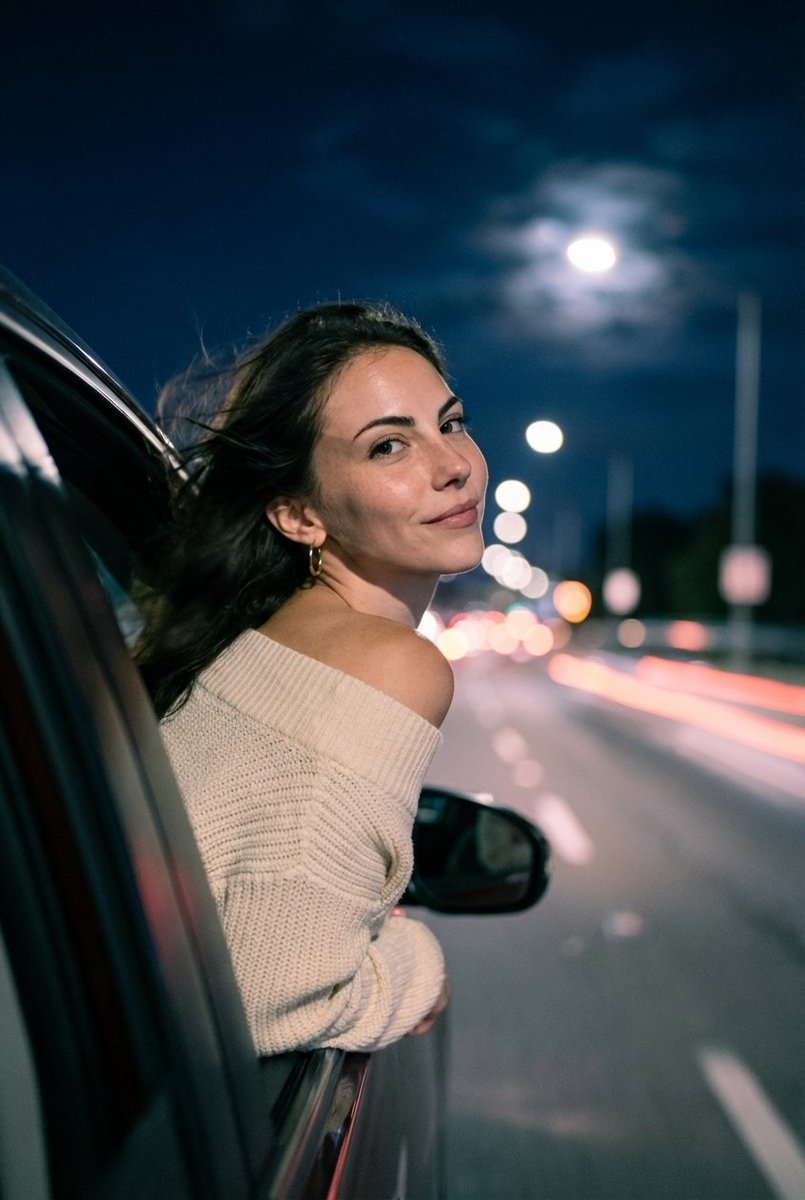
How to use the exact face of the uploaded person and preserve their facial features without alteration.
0
Times used
0
Likes
Unlocking Your Digital Twin: Master AI Image Generation with Your Exact Face in Orno
Have you ever spent hours crafting the perfect prompt for an AI image generator, describing a fantastical scene with yourself as the hero, only for the final result to feature a complete stranger? It's a common frustration in the world of AI art. You get the stunning background, the perfect lighting, and the epic costume, but the face is just… wrong. It might have your hair color or a vaguely similar jawline, but the essence of you is lost. This is the great challenge of AI image generation: achieving facial consistency and preserving the unique identity of a person. Until now.
Welcome to the ultimate guide to Orno's groundbreaking style: "Create and use The Exact Face". This isn't just another face-swapping filter; it's a sophisticated AI feature designed from the ground up to solve the biggest problem for creators, artists, and casual users alike. It allows you to upload a photo of a person and command the AI to preserve their exact facial features, seamlessly integrating their true likeness into any imaginable scenario. Say goodbye to the "AI face lottery" and hello to unparalleled creative control.
The Common Struggle: Why AI Generators Change Faces
To appreciate the power of Orno's "Exact Face" feature, it's helpful to understand why most AI image generators struggle with facial identity. Standard AI models work by interpreting text prompts and generating pixels based on a vast dataset of images they've been trained on. When you type "a photo of me as an astronaut," the AI understands "photo," "astronaut," and the general concept of a human face. However, it has no specific data on "me."
The AI then generates a face that statistically fits the description, often resulting in a generic or randomized person. Even if you upload a reference image, many tools only use it for general inspiration—borrowing the hair style, skin tone, or composition, but rarely capturing the precise, unique combination of features that make a face recognizable. This leads to:
- Inconsistent Characters: Creating a series of images with the same person (for a storyboard, comic, or social media series) becomes nearly impossible. - Loss of Personal Identity: The core desire to see *yourself* in a new light is unfulfilled, leading to disappointing results.
- Complex Workarounds: Advanced users resort to complicated techniques like training custom LoRA models or using intricate prompt weighting and multiple seed images, a process that is time-consuming and requires significant technical expertise.
Orno bypasses these hurdles entirely, offering a simple, one-click solution that puts the power of consistent, personalized AI generation into everyone's hands.
Introducing Orno's "Exact Face" Style: Your Face, Your Art
The "Create and use The Exact Face" style is Orno's revolutionary answer to facial preservation. It uses a sophisticated, multi-stage process that intelligently separates the facial identity from the rest of the image. When you upload a photo and activate this style, Orno's AI carefully analyzes the unique facial structure, eye shape, nose, mouth, and other defining features. It creates a detailed "fingerprint" of this face, which it then meticulously applies to the new image you generate via your text prompt.
The result? You can generate a photorealistic portrait of yourself on a cyberpunk city street, a stylized painting of a loved one as royalty, or a cartoon version of a friend for a custom avatar, all while retaining their exact, unaltered facial features. It's the ultimate tool for personalization.
Step-by-Step Guide: How to Use Your Face in Any AI-Generated Image
Getting started with the "Exact Face" style in Orno is incredibly intuitive. Forget complex tutorials and technical jargon. Follow these simple steps to place yourself, or anyone you have a photo of, into a new universe.
Step 1: Upload a High-Quality Reference Photo
The quality of your final image begins with the quality of your source image. For the best results, upload a clear, well-lit photograph of the person whose face you want to use.
- Look for: A photo where the person is facing forward, with their face clearly visible and not obscured by shadows, hair, or accessories like sunglasses.
- Pro Tip: A simple headshot or a portrait with good lighting works best. The AI needs to see the facial features clearly to create an accurate digital likeness.
Step 2: Activate the "Create and use The Exact Face" Style
Once your image is uploaded, navigate to Orno's style selection panel. Here you'll find a library of creative options. Select the "Create and use The Exact Face" style. Activating this tells the AI that its primary instruction is to preserve the facial identity from your uploaded photo above all else.
Step 3: Write Your Creative Prompt
Now for the fun part! This is where you tell the AI what kind of scene you want to create. Your prompt can be anything you can imagine. The "Exact Face" style works in harmony with your text, applying the preserved face to the character described in your prompt.
Example Prompts:
- "A professional headshot of a business executive in a modern office, cinematic lighting."
- "Epic fantasy portrait of a knight in shining silver armor, standing on a mountain peak, oil painting style."
- "Close-up photo of an astronaut inside a spaceship, looking out the window at Earth, reflections in the helmet."
- "A 1920s vintage black and white photo of a jazz singer on stage."
Step 4: Generate and Be Amazed
Click the "Generate" button and let Orno's AI work its magic. In moments, you will see a new image that combines the creative context of your prompt with the exact face from your reference photo. The integration is seamless, adapting the lighting and style of the scene to the face for a natural and believable result. Don't be afraid to generate multiple versions or tweak your prompt to get the perfect shot!
Creative Use Cases for the "Exact Face" Feature
The possibilities are truly endless. This feature isn't just for fun; it's a powerful tool for professionals and hobbyists alike. Here are just a few ideas to get you started:
- Personalized Social Media Avatars: Create a unique profile picture that truly represents you, but in a style that stands out—from a watercolor painting to a futuristic cyborg.
- Professional AI Headshots: Need a new corporate headshot but don't have time for a photoshoot? Use a clear selfie to generate a variety of professional-looking headshots with different outfits and backgrounds.
- Unique Gifts for Loved Ones: Turn a photo of a friend or family member into a stunning piece of art. Imagine gifting a portrait of them as their favorite movie character or in a beautiful historical setting.
- Storyboarding and Character Design: For writers, filmmakers, and game developers, this feature is a game-changer. Create consistent character sheets and storyboards with the same actor or character model in every frame.
- Visualize Your Dreams: Ever wanted to see what you'd look like as a world-famous explorer, a rock star on stage, or a character in a Ghibli-inspired anime? Now you can, with a likeness that is unmistakably you.
Frequently Asked Questions (FAQ) about "Exact Face"
Is this the same as a deepfake?
No. While the technology is related, Orno's "Exact Face" feature is designed for creative and personal use. Deepfake technology is often associated with malicious intent, such as creating misleading videos. Our tool is for generating still images based on your explicit commands and is governed by terms of service that prohibit harmful or deceptive uses. It's about creative expression, not deception.
What kind of reference photo works best?
A clear, front-facing photo with good, even lighting is ideal. Avoid photos with harsh shadows, sunglasses, hats obscuring the forehead, or hands covering part of the face. The more data the AI has about the person's natural facial features, the more accurate the final result will be.
Will the AI change the hair or clothing from my original photo?
Yes, and that's the point! The "Exact Face" style is specifically designed to isolate and preserve *only the facial features*. The hair, clothing, and background will be determined by your text prompt. This allows you to place the person's face into entirely new contexts, outfits, and hairstyles as described in your prompt.
Can I use this for more than one person in an image?
Currently, the "Exact Face" feature is optimized to work with a single reference photo to preserve one person's face within a generated image. Future updates may expand upon this capability.
Is my uploaded photo stored or used for training?
No. Your privacy is paramount. Orno processes your uploaded photo to generate your image and does not use it for training its AI models. We are committed to user data security and privacy. Please refer to our privacy policy for full details.
Start Creating with Your True Digital Likeness Today
The "Create and use The Exact Face" style in Orno represents a major leap forward in personalized AI image generation. It bridges the gap between imagination and reality, empowering you to create stunning, high-quality images where you are the star of the show. Whether you're a digital artist seeking consistent characters, a marketer creating personalized content, or just someone who wants to have fun exploring new identities, this tool offers a level of control and precision that was previously out of reach.
Stop settling for almost-right. Stop spending hours on complicated workarounds. Experience the magic of seeing your exact face in any world you can imagine. Try Orno's "Exact Face" feature now and unlock a new era of creative freedom.
Use This Prompt
Transform your images with AI
Save this prompt as its own icon for one-tap access.