
Create an ultra-realistic Scene In A Modern
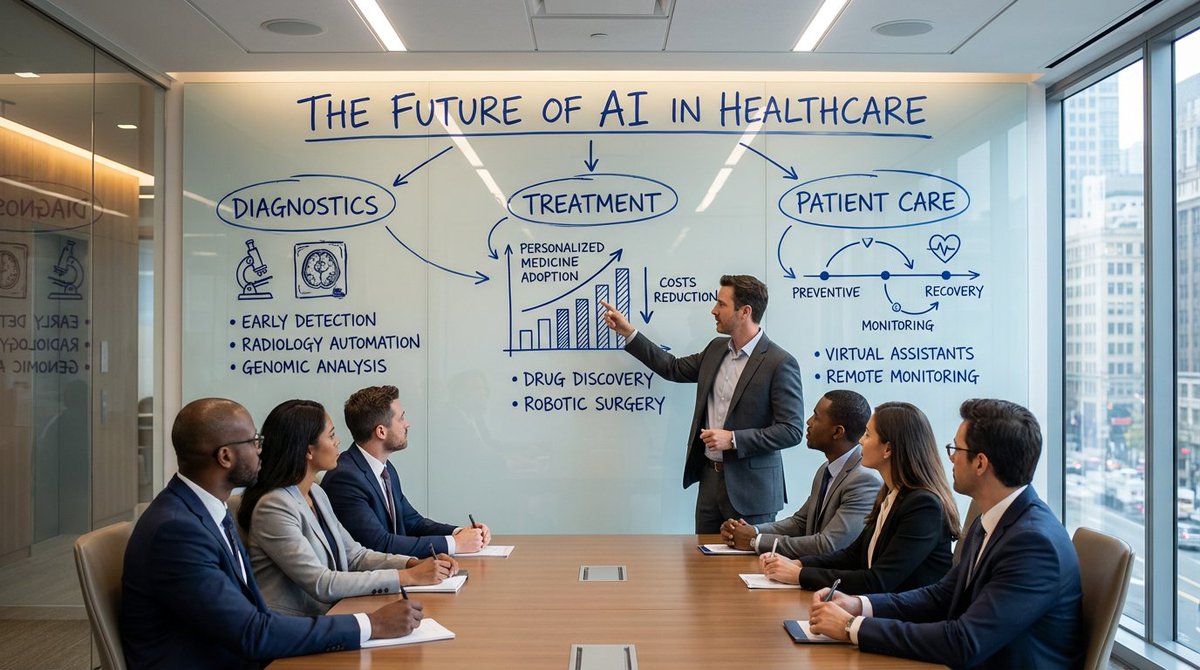
How to ultra-realistic scene in a modern corporate conference room, 16:9.
0
Times used
0
Likes
Mastering Photorealism: How to Create an Ultra-Realistic Scene in a Modern Style with AI
In the world of digital content, visual appeal is paramount. Whether you're a marketer crafting a compelling campaign, an interior designer visualizing a new space, or a content creator seeking the perfect background, the demand for high-quality, realistic imagery has never been higher. The challenge? Sourcing or creating these images can be time-consuming and expensive. This is where the power of AI image generation, and specifically Orno's "Create an ultra-realistic Scene In A Modern" style, revolutionizes the process. This powerful tool allows you to transform a simple text prompt into a breathtakingly photorealistic modern scene in seconds. In this comprehensive guide, we'll dive deep into this style, explore how to craft the perfect prompt, and show you how Orno can become your go-to solution for generating stunning, modern visuals.
What Exactly is the "Ultra-Realistic Modern Scene" AI Style?
At its core, this style is designed to produce images that are virtually indistinguishable from professional photographs of contemporary environments. It’s not about creating fantasy art or abstract concepts; it's about mirroring reality with incredible precision. Let's break down the key components that define this style:
- Ultra-Realistic: This is the cornerstone of the style. It refers to the AI's ability to render images with lifelike lighting, shadows, textures, and reflections. Details like the grain on a wooden table, the subtle sheen on a leather chair, or the way light refracts through a glass window are meticulously recreated to trick the eye into believing the scene is real.
- Scene: This element signifies that the AI is building a complete, cohesive environment. You’re not just generating an isolated object; you're creating a whole room or space with a background, foreground, and a sense of depth and atmosphere. This is crucial for creating immersive visuals.
- Modern: This defines the aesthetic. The "modern" style is characterized by clean lines, minimalist decor, neutral color palettes with occasional bold accents, and an emphasis on natural light and uncluttered spaces. Think Scandinavian design, contemporary corporate offices, or sleek, minimalist homes.
This combination makes the style incredibly versatile and valuable for professional applications where authenticity and a contemporary feel are essential.
Deconstructing the Prompt: Your Blueprint for AI-Generated Perfection
The magic of AI image generation lies in the prompt. A well-crafted prompt is the difference between a generic image and a masterpiece that perfectly matches your vision. Let's analyze a classic example for this style: "How to ultra-realistic scene in a modern corporate conference room, 16:9."
Key Components of an Effective Prompt:
- Core Style Command:
ultra-realistic scene in a modern...This sets the foundation, telling the Orno AI the fundamental aesthetic and level of detail you require. - The Subject:
...corporate conference room...This is the heart of your creation. Be as specific as you want! This is the most customizable part of the prompt. Instead of a conference room, you could specify a "minimalist living room with a view of the city," a "high-tech research lab," or a "cozy Scandinavian kitchen." The more detail, the better. - The Aspect Ratio:
...16:9.This is a critical technical instruction. A 16:9 aspect ratio is perfect for widescreen formats like website hero images, YouTube thumbnails, and presentation slides. Orno allows you to specify other ratios as well, such as 1:1 for social media posts or 9:16 for stories.
Pro Tips for Customizing Your Modern Scene
To truly unlock the potential of this style, go beyond the basic prompt. Think like a director or a photographer. Here are some elements you can add to your prompt in Orno to gain more control:
- Lighting: Specify the mood. Try adding phrases like "lit by soft morning light," "dramatic afternoon sunbeams," "overcast day," or "warm, ambient evening lighting."
- Materials and Textures: Get specific about the surfaces. Use terms like "polished concrete floors," "walnut wood paneling," "plush velvet sofa," or "brushed steel appliances."
- Color Palette: Guide the AI's color choices. You can add "with a monochrome color scheme," "accented with deep blue," or "featuring earthy, natural tones."
- Key Objects: Place specific items in your scene. For our conference room example, you could add "with a long oak table, ergonomic black chairs, and a large presentation screen on the wall."
- Atmosphere: Define the feeling of the space. Words like "serene," "professional," "busy," "luxurious," or "cozy" can subtly influence the final output.
For example, a more advanced prompt could be: "An ultra-realistic scene in a modern, spacious CEO's office, with floor-to-ceiling windows showing a city skyline at sunset. A large mahogany desk sits on a polished concrete floor. 16:9, cinematic lighting."
Why Orno is the Ultimate Tool for Photorealistic Modern Scenes
While many AI tools can generate images, Orno is specifically engineered to excel at producing high-fidelity, ultra-realistic results with ease. Our advanced generative model is trained on vast datasets of high-resolution photography and architectural design, giving it a deep understanding of light, physics, and modern aesthetics.
With Orno, you can:
- Achieve Unmatched Realism: Orno's rendering engine pays close attention to the subtle details that create photorealism—from accurate shadow-casting to realistic material textures.
- Enjoy an Intuitive Interface: You don't need to be an expert in "prompt engineering." Our platform is designed to be user-friendly, allowing you to easily type your vision and generate stunning results in just a few clicks.
- Generate High-Resolution Images: Get visuals that are crisp, clear, and ready for professional use, whether for digital displays or print materials.
- Iterate and Refine Quickly: Not quite perfect? Tweak your prompt and generate new variations in seconds. This rapid iteration process allows you to explore different creative directions without the overhead of traditional photography or 3D rendering.
Step-by-Step: Create Your First Modern Scene in Orno
Ready to bring your vision to life? Follow these simple steps to generate your first ultra-realistic modern scene.
- Log in to Orno: Navigate to the Orno AI image generation tool.
- Enter Your Prompt: Start with the base style: "Create an ultra-realistic scene in a modern..."
- Customize Your Subject: Finish the prompt with your desired location and details. For example, "...penthouse apartment living room with a white sofa and a view of the ocean."
- Add Modifiers: Enhance your prompt with details about lighting, colors, and materials for a more tailored result.
- Set the Aspect Ratio: Choose your desired dimensions, like 16:9 for a wide shot or 1:1 for a square image.
- Generate: Click the "Generate" button and let Orno's powerful AI work its magic. Within moments, you’ll have a unique, high-quality image based on your description.
- Download and Use: Save your favorite generation in high resolution and use it for your project.
Frequently Asked Questions (FAQ)
What makes an AI-generated image "ultra-realistic"?
Ultra-realism in AI images is achieved through a combination of factors. The AI model must understand the physics of light, including how it reflects off different surfaces (e.g., matte vs. glossy), how shadows are cast, and how colors interact. It also involves rendering textures with high fidelity—the grain of wood, the weave of fabric, the imperfections on a concrete wall. Orno's model is specifically trained to capture these nuances, creating images that are difficult to distinguish from actual photographs.
Can I specify the time of day or lighting conditions in my modern scene?
Absolutely! This is one of the best ways to control the mood of your image. We highly recommend adding lighting descriptors to your prompt. Try using phrases like "golden hour lighting," "bright mid-day sun," "moody, overcast lighting," "blue hour," or "warm interior lights at night." The AI will interpret these cues to create the corresponding atmosphere.
How can I make my modern corporate scene look more unique and less generic?
Specificity is key. Instead of just "corporate conference room," add branding elements, unique furniture, or a specific view. For example: "An ultra-realistic scene in a modern tech startup's conference room with glass walls, a whiteboard covered in notes, bean bag chairs in the corner, and a view of a green campus. 16:9." The more unique details you provide, the more unique your final image will be.
Does Orno support different aspect ratios besides 16:9?
Yes. Orno is a versatile tool designed for a wide range of applications. You can easily generate images in various aspect ratios, including 1:1 (square, perfect for Instagram), 9:16 (vertical, for stories and mobile), 4:3, and more. Simply specify your desired ratio in the tool's settings or within the prompt itself for maximum flexibility.
Are the images I generate with Orno free for commercial use?
Yes, images generated on Orno come with commercial rights, allowing you to use them for your marketing campaigns, websites, products, presentations, and more. This makes Orno an incredibly cost-effective alternative to stock photography or hiring a photographer. Please refer to our terms of service for specific details on usage rights.
Start Creating Your Vision Today
The "Create an ultra-realistic Scene In A Modern" style is more than just a prompt; it's a gateway to limitless creative possibilities. It empowers professionals across industries to produce bespoke, high-quality visuals that elevate their projects and captivate their audiences. With the power of Orno's advanced AI and an intuitive creative process, you no longer need a massive budget or technical expertise to access world-class imagery.
Ready to build the perfect modern scene? Try Orno's AI image editor today and transform your ideas into stunning reality.
Use This Prompt
Transform your images with AI
Save this prompt as its own icon for one-tap access.