
Create a soft Sunlight Breaking Through
How to soft sunlight breaking through
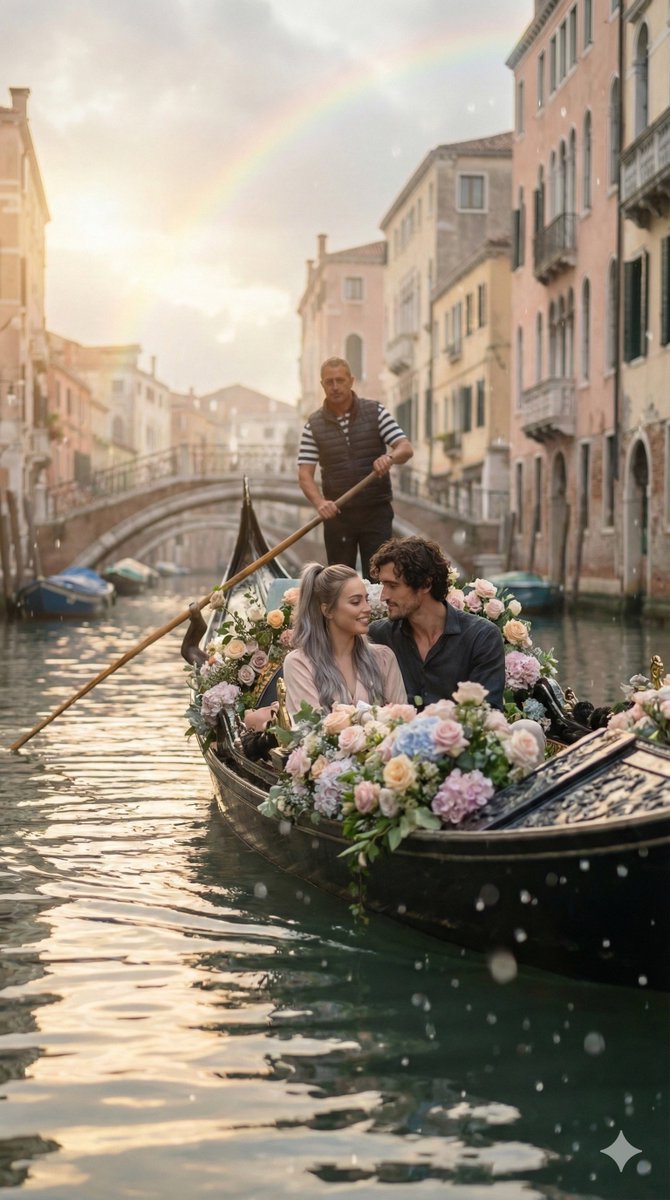
0
Times used
0
Likes
The Art of Light: Mastering the "Soft Sunlight Breaking Through" Style with AI
There's a moment, often fleeting and magical, that artists and photographers chase relentlessly. It’s the instance when soft sunlight pierces through a canopy of leaves, a misty morning sky, or the dusty air of an old room. This phenomenon, often called "crepuscular rays" or "God rays," creates an atmosphere of serenity, hope, and breathtaking beauty. Capturing this ethereal lighting has historically required perfect timing, expensive equipment, or years of digital painting expertise. Today, with the power of Orno's advanced AI image editor, creating the "Soft Sunlight Breaking Through" style is not just possible—it's effortless.
This guide delves deep into this captivating aesthetic, exploring what makes it so emotionally resonant and how you can use Orno's text-to-image capabilities to masterfully craft your own stunning, light-filled masterpieces. Whether you're a digital artist, a content creator, or simply someone who appreciates beautiful imagery, prepare to learn how to paint with light itself.
What Exactly is the "Soft Sunlight Breaking Through" AI Style?
The "Soft Sunlight Breaking Through" style is an AI image generation aesthetic designed to replicate one of nature's most beautiful lighting effects. It’s more than just adding a sun to your scene; it's about simulating the complex interplay between light, atmosphere, and shadow to evoke a specific mood. Orno's AI has been meticulously trained on a vast dataset of award-winning photography and art to understand the nuances of this effect.
Key Visual Elements of the Style:
- Crepuscular Rays (Sunbeams): These are the distinct, visible beams of light that appear to radiate from a single point in the sky. The AI understands how these rays are formed when sunlight is scattered by particles in the air, such as dust, haze, or water vapor.
- Diffuse and Soft Lighting: Unlike the harsh, direct light of midday, this style focuses on soft, scattered light. This results in gentle gradients, soft-edged shadows, and a warm, inviting glow that wraps around objects in the scene.
- Atmospheric Perspective: The style expertly incorporates a sense of depth and atmosphere. Elements in the distance might appear slightly hazy or desaturated, mimicking how we perceive depth in the real world, which enhances the realism and scale of your generated images.
- Warm Color Palette: This aesthetic is often associated with the "golden hour"—the period shortly after sunrise or before sunset. Expect to see a rich palette of warm golds, soft oranges, gentle yellows, and deep, muted shadows that create a feeling of warmth and nostalgia.
- Illuminated Particles: To add a layer of hyper-realism and magic, the style often renders tiny dust motes or mist particles hanging in the air, caught and illuminated by the light rays. This small detail dramatically increases the scene's immersion and visual texture.
Why This Lighting Style Is So Captivating in Art and Photography
The allure of soft, breaking sunlight is universal. It taps into a deep-seated emotional response, which is why it has been a favorite subject for artists for centuries, from the dramatic landscapes of the Hudson River School painters to the cinematic lighting of modern films. Here’s why it’s so powerful:
- It Tells a Story: A single beam of light can guide the viewer's eye, highlight a subject, and create a focal point. It can suggest a new beginning (dawn), a moment of revelation, or a peaceful conclusion (dusk). This style transforms a static image into a narrative moment.
- It Evokes Powerful Emotions: The soft, warm glow often brings feelings of peace, tranquility, and hope. In a darker, more dramatic scene, it can represent a glimmer of salvation or a moment of divine intervention. It's a versatile tool for an artist wanting to control the emotional tone of their work.
- It Creates a Cinematic Quality: Directors and cinematographers frequently use this lighting to create visually stunning and memorable scenes. By using Orno's AI to generate this style, you can imbue your creations with a professional, cinematic quality that feels both grand and intimate.
How Orno's AI Masterfully Creates "Soft Sunlight Breaking Through"
Creating this effect traditionally is a challenge. A photographer needs to be in the right place at the right time with the right weather conditions. A digital painter needs a profound understanding of light physics, color theory, and advanced software techniques. Orno's AI image editor bypasses these hurdles entirely.
Our AI model doesn't just overlay a "light ray" filter. It builds the scene from the ground up with a core understanding of how light behaves. When you use the "Soft Sunlight Breaking Through" prompt, the AI considers:
- The Light Source: Where is the sun located? Is it low on the horizon or high in the sky? This affects the angle, color, and length of the sunbeams.
- The Environment: The light will interact differently with a dense forest canopy, the buildings of a city, or the clouds in the sky. The AI generates shadows and occlusions realistically based on the objects in your prompt.
- The Atmosphere: Is the air clear, misty, foggy, or dusty? The AI adjusts the diffusion, softness, and visibility of the light rays to match the atmospheric conditions you describe.
This intelligent approach means you get a cohesive, realistic, and artfully composed image every time, saving you hours of complex work and giving you access to an effect that was once the exclusive domain of seasoned professionals.
Crafting the Perfect Prompt with Orno
While the style itself is powerful, the true magic happens when you combine it with your unique vision. Prompt engineering is the key to unlocking the AI's full potential. Here’s how you can craft detailed prompts to generate breathtaking images with Orno.
Start with the core concept and then layer in details about the subject, setting, and mood. Here are a few examples to inspire you:
- For a Fantasy Landscape:
An ancient elven ruin deep within a misty forest, soft sunlight breaking through the dense tree canopy, illuminating moss-covered stones, god rays, ethereal, hyper-detailed, fantasy art. - For a Serene Portrait:
A beautiful woman with long flowing hair reading a book by a large bay window, soft sunlight breaking through the window panes and illuminating dust motes in the air, peaceful and quiet mood, cinematic photography. - For an Urban Scene:
An empty grand central station at dawn, dramatic soft sunlight breaking through the high arched windows, casting long shadows on the marble floor, crepuscular rays, sense of awe and scale, 8K resolution. - For a Nature Scene:
A majestic stag standing on a cliff edge at sunrise, soft golden sunlight breaking through the morning clouds, overlooking a vast mountain valley, atmospheric, National Geographic photography style.
Customizing Your Sunlight Effect for Unique Results
Want to fine-tune the lighting? Orno gives you precise control through descriptive keywords. Experiment by adding or modifying these terms in your prompt:
- For Intensity: Use terms like
strong god rays,faint sunbeams,dramatic light rays, orsubtle morning light. - For Color: Specify the light's hue with keywords like
warm golden hour sunlight,soft amber light, orcool morning light. - For Atmosphere: Enhance the scene with
thick morning mist,hazy atmosphere,visible dust particles in the air, orlight fog.
Frequently Asked Questions (FAQ)
Do I need to be an artist to use the "Soft Sunlight Breaking Through" style?
Absolutely not! That's the beauty of Orno's AI image editor. This tool is designed for everyone, from professional artists seeking a new creative avenue to beginners who simply have a vision they want to bring to life. You just need to describe the scene you imagine, and our AI will handle the complex rendering of light and shadow for you.
What's the difference between "soft sunlight" and "golden hour" in AI prompts?
They are closely related but have distinct nuances. "Golden hour" specifically refers to the time of day (post-sunrise or pre-sunset) and implies a very warm, golden-orange color palette. "Soft sunlight breaking through" is more focused on the *phenomenon* of light rays piercing through an obstruction (like clouds, trees, or windows). You can have soft sunlight at other times of day, and it can even have a cooler tone. For best results, use them together, like golden hour soft sunlight breaking through the trees.
Can I apply this light effect to an existing photo in Orno?
While this style is primarily for our text-to-image generation, Orno's suite of AI photo editing tools is constantly evolving. Features like AI-powered lighting adjustments allow you to enhance your own photos by adding warmth, adjusting shadows, and improving overall atmosphere to mimic this beautiful effect. Stay tuned for even more powerful image-to-image features!
How can I make the sunbeams (God rays) more or less intense?
You can control the intensity directly in your prompt. For more dramatic and visible rays, use keywords like intense god rays, strong crepuscular rays, or dramatic sunbeams. For a more subtle and gentle effect, try prompts with faint light rays, soft, hazy sunlight, or subtle light filtering through. Experimenting with these modifiers is the key to achieving your desired look.
Why choose Orno for generating images with complex lighting?
Orno is built on a sophisticated AI model that has a deep, contextual understanding of light physics and artistic composition. Unlike simpler AI generators that might produce flat or unrealistic lighting, Orno excels at creating images with depth, atmosphere, and emotion. Our "Soft Sunlight Breaking Through" style is a testament to this, delivering cohesive, cinematic, and breathtaking results that truly stand out.
Ready to chase the light? The power to create scenes of incredible beauty and emotion is now at your fingertips. Stop waiting for the perfect moment and start creating it. Try Orno's "Soft Sunlight Breaking Through" style today and bring your most ethereal and awe-inspiring visions to life.
Use This Prompt
Transform your images with AI
Save this prompt as its own icon for one-tap access.