
Create a silver Laptop Open
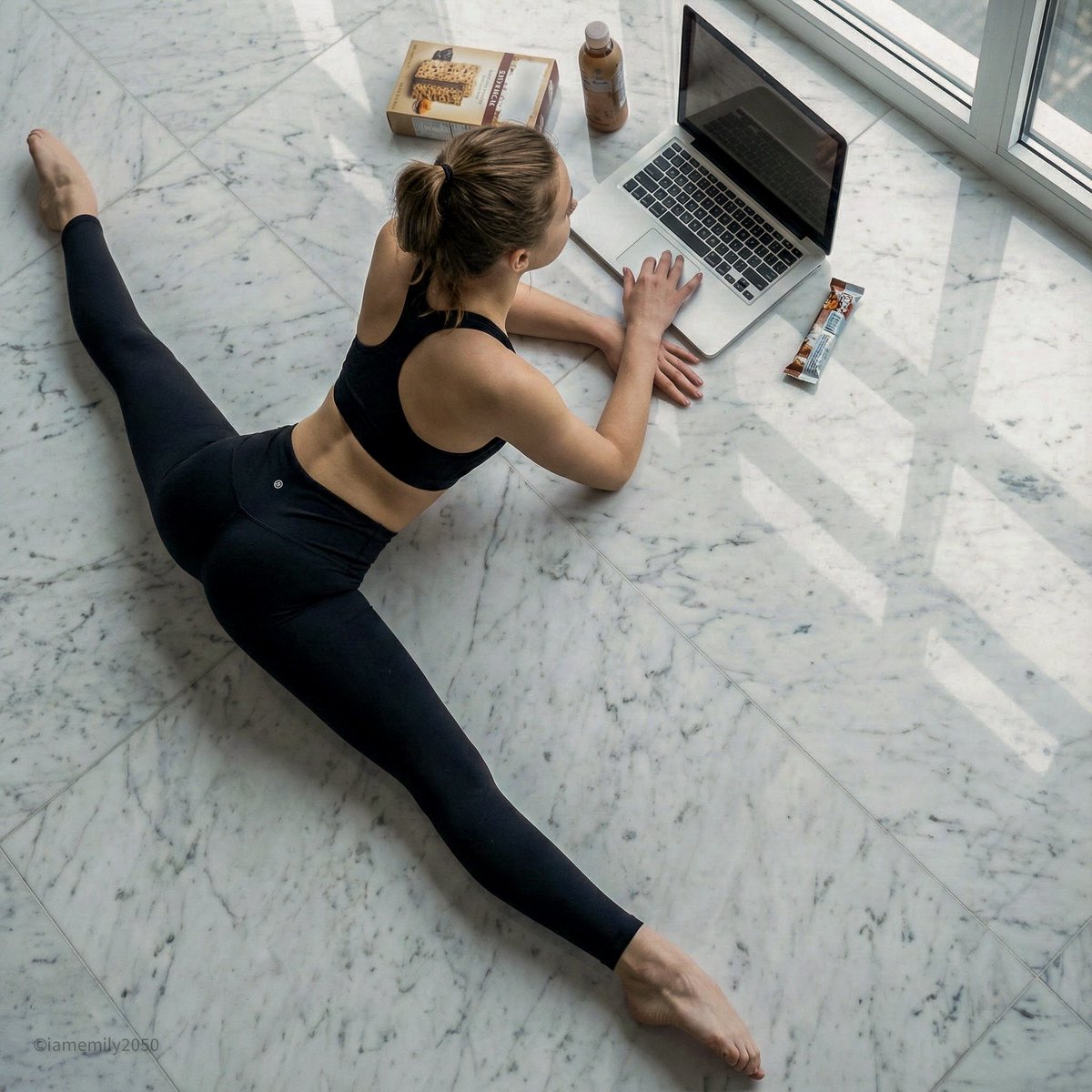
How to a silver laptop open on the floor.
0
Times used
0
Likes
Unlock Stunning Tech Visuals: Mastering the "Create a silver Laptop Open" AI Prompt
In the digital age, the right image can make or break your content. Whether you're a marketer, a web designer, or a blogger, you've likely spent countless hours searching for that perfect, clean, and modern image of a laptop. It needs to be high-resolution, have the right aesthetic, and be free of distracting clutter. The search is often tedious and expensive, leading to compromises with generic stock photos. What if you could generate the exact image you envision in seconds? Welcome to the power of Orno's AI image editor and the deceptively simple "Create a silver Laptop Open" style.
This powerful prompt is your key to unlocking an infinite library of unique, professional, and royalty-free images of open laptops. It's more than just a command; it's a creative starting point. This guide will dive deep into this versatile AI image generation style, showing you how to master it within Orno to create everything from photorealistic product mockups to minimalist hero images for your website.
The Power of a Simple Visual: Why This AI-Generated Image is So Effective
An image of an open silver laptop on a floor is a powerful visual trope. It's clean, minimalist, and instantly communicates themes of modernity, productivity, and the "work from anywhere" culture. Unlike a cluttered desk scene, placing the laptop on the floor creates a sense of focus and space. It’s an aesthetic that feels both professional and approachable. This is why it has become an invaluable asset for a wide range of creative and professional projects.
Common Use Cases for AI-Generated Laptop Images:
- Website Hero Images: Create a compelling first impression for a tech startup, digital agency, or freelance portfolio with a custom hero image that matches your brand's color scheme and style.
- Blog Post Banners: Elevate your articles about technology, remote work, coding, or digital marketing with unique, high-quality featured images that you won't find on any other blog.
- Product and UI/UX Mockups: Seamlessly showcase your new website design, mobile app, or software on a crisp, realistic laptop screen without complex Photoshop work.
- Social Media Graphics: Generate eye-catching visuals for Instagram, LinkedIn, or Twitter to promote a webinar, share a tech tip, or announce a new service.
- Presentation Slides: Add a touch of professionalism and visual consistency to your business presentations and slide decks with custom-generated tech visuals.
Deconstructing the "Create a silver Laptop Open" Prompt in Orno
The magic of Orno's text-to-image AI is its ability to interpret simple language and transform it into a complex, detailed visual. The prompt "a silver laptop open on the floor" seems basic, but each word provides a crucial instruction to the AI engine, forming the foundation of your final image.
Breaking Down the Core Components:
- "Silver": This keyword specifies the material and color. The AI understands "silver" as a sleek, metallic finish, often with subtle reflections, synonymous with premium tech products. This choice immediately lends a modern and high-end feel to the generated image.
- "Laptop": This is the central subject. Orno's AI model has been trained on millions of images, so it knows the precise form factor of various laptops, from ultrabooks to more robust models, including details like the keyboard, trackpad, and screen bezel.
- "Open": This is a critical instruction. It tells the AI not just to show the device, but to show it in a state of use. This is essential for mockups, as it provides a screen on which to display other content. It invites the viewer to imagine themselves using the device. * "On the Floor": This sets the scene and context. It suggests a minimalist, uncluttered environment. The AI will often interpret this by generating images with clean surfaces like polished concrete, warm hardwood, or even a soft rug, adding texture and realism to the composition.
When combined, these simple words guide Orno to generate a well-composed, photorealistic image that hits all the right notes for a modern tech visual. The real power, however, comes when you start building upon this foundation.
How to Master the Prompt: From Basic to Bespoke Images with Orno
Starting with the base prompt is easy, but true creative control comes from adding descriptive modifiers. With Orno's intuitive AI image editor, you can tweak every element of the scene to create a truly unique picture that perfectly aligns with your vision.
Step 1: Start with the Simple Prompt
Begin your creative journey by simply typing "A silver laptop open on the floor" or a slight variation into the Orno prompt bar. In seconds, you'll get a set of high-quality images. Use these initial results as your creative springboard.
Step 2: Add Modifiers for Unique and Detailed Results
Now, let's customize. Think of yourself as a film director setting a scene. Use descriptive adjectives and prepositional phrases to add detail and mood. Here are some ideas to get you started:
- Refine the Environment: Specify the type of floor for a different mood. Try prompts like:
- "A silver laptop open on a dark polished hardwood floor, reflecting the screen."
- "An overhead shot of a silver laptop open on a fluffy white shag rug."
- "A silver laptop open on a cracked industrial concrete floor in a loft apartment."
- Add Contextual Objects: Make the scene feel more lived-in and realistic.
- "A silver laptop open on the floor next to a steaming ceramic mug of black coffee."
- "A silver laptop open on the floor with a Moleskine notebook and a fountain pen beside it."
- "A silver laptop open on the floor, with wireless earbuds charging next to it."
- Control the Lighting and Atmosphere: Lighting is key to mood. Be specific about the light source.
- "A silver laptop on the floor, dramatic morning light streaming in from a large window, creating long shadows."
- "A silver laptop on the floor, illuminated only by the neon glow of the city at night."
- "A silver laptop on the floor in a room with soft, warm ambient lighting."
- Specify Camera Angle and Shot Type: Direct the AI's "camera" for a more dynamic composition.
- "Low-angle shot of a silver laptop open on the floor."
- "Top-down view, flat lay style, of a silver laptop open..."
- "Close-up macro shot of the keyboard of an open silver laptop."
Step 3: Use Orno’s Advanced Features
Beyond the prompt, Orno gives you even more control. Use the Negative Prompt feature to exclude unwanted elements (e.g., "no clutter, no wires, no people"). Adjust the Aspect Ratio to generate images perfectly sized for a blog banner (16:9) or an Instagram story (9:16). Experiment with different style settings like "Photorealistic," "3D Render," or "Cinematic" to further refine the final look.
Orno vs. Traditional Stock Photography
Why spend hours sifting through stock photo libraries when you can create the perfect image instantly? Orno's AI image generation offers distinct advantages over traditional methods.
- Unparalleled Customization: You are the creator. You can control every detail, from the laptop's angle to the type of wood grain on the floor. You'll never have to settle for "close enough" again.
- 100% Unique Content: Every image you generate with Orno is one-of-a-kind. Say goodbye to the fear of seeing the same generic stock photo on a competitor's website.
- Cost and Time Efficiency: Generating an image takes seconds, not hours of searching. A single Orno subscription gives you access to limitless creative possibilities, often for less than the price of a few premium stock photos.
Frequently Asked Questions (FAQ)
What is the "Create a silver Laptop Open" style?
It's an AI image generation prompt used within Orno to create high-quality, realistic images of an open silver laptop, typically in a minimalist setting like on a floor. It serves as a foundational prompt that can be customized with additional details to generate unique tech-themed visuals for marketing, design, and content creation.
Can I generate images of laptops other than silver?
Absolutely! Simply change the color in your prompt. Try "a matte black laptop," "a rose gold laptop," or even "a vibrant blue laptop." You can also specify brands or styles, though results may vary. The more descriptive you are, the better Orno can match your vision.
How do I make the generated laptop image look more realistic?
To enhance realism, add detailed keywords related to lighting and texture. Use phrases like "photorealistic," "shot on a DSLR," "soft natural lighting," "subtle reflections," and "detailed texture." Specifying a precise camera angle, like "low-angle shot" or "depth of field," can also dramatically increase the photorealism of your AI-generated image.
Can I put my own design on the laptop screen?
While the AI can't directly import your image file (yet!), you can easily generate the laptop with a blank screen. Use prompts like "a silver laptop open... with a blank white screen" or "with a glowing blank screen." Then, you can download the high-resolution image from Orno and use any basic image editor to overlay your website screenshot, app UI, or logo onto the blank screen for a perfect mockup.
Is using Orno for these images free?
Orno offers various plans, including a free trial that allows you to experience the power of our AI image editor and generate a set number of images. For unlimited creation and access to all advanced features, we offer affordable subscription plans perfect for creators and businesses of all sizes.
Are the images I create with Orno copyright-free?
Yes, the images you generate on our paid plans are yours to use. They are royalty-free for both personal and commercial projects, giving you complete creative freedom without worrying about complex licensing agreements. You can use them on your website, in your marketing campaigns, on social media, and more.
Start Creating Your Perfect Visuals Today
The "Create a silver Laptop Open" prompt is just the beginning. It's a gateway to a new era of content creation where your imagination is the only limit. Stop searching and start creating. Harness the power of Orno's AI image editor to produce stunning, unique, and professional visuals that captivate your audience and elevate your brand. Ready to revolutionize your visual content? Try Orno today and generate your perfect laptop image in seconds.
Use This Prompt
Transform your images with AI
Save this prompt as its own icon for one-tap access.