
Create a professional 2
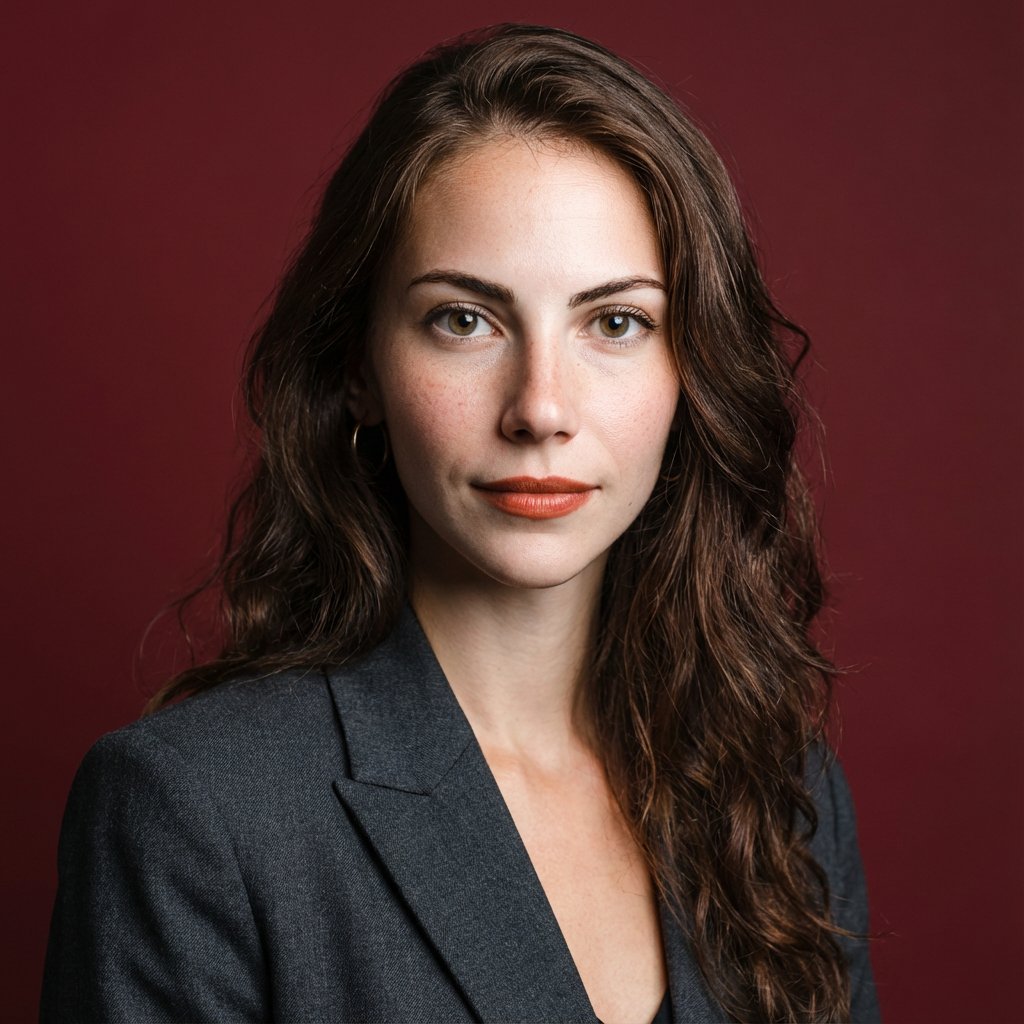
How to a professional, high-resolution profile photo, maintaining the exact facial structure, identity, and key features of the person in the input image.
0
Times used
0
Likes
Transform Your Image: A Deep Dive into Orno's "Create a professional 2" AI Style
In today's hyper-digital world, your profile picture is your new handshake. It’s the first impression you make on LinkedIn, the face of your company on the team page, and the visual signature of your personal brand. The problem? Getting a truly professional, high-quality headshot is often expensive, time-consuming, and inconvenient. Traditional photoshoots require scheduling, travel, and a significant financial investment. But what if you could achieve a studio-quality, corporate headshot in seconds, using a photo you already have? Welcome to the future of professional imaging, powered by Orno and our groundbreaking style: "Create a professional 2".
This isn't just another filter or a simple background blur. "Create a professional 2" is a sophisticated AI-powered style engineered for one specific, crucial purpose: to generate a professional, high-resolution profile photo while maintaining the exact facial structure, identity, and key features of the person in the input image. It’s you, but with the polish and professionalism of a corporate photoshoot. This article will explore the power of this unique AI style, how it works, and why it's the ultimate tool for anyone looking to elevate their digital presence.
What Exactly is the "Create a professional 2" Style?
At its core, "Create a professional 2" is an advanced AI image generation prompt meticulously designed to transform your casual photo into a polished, corporate-style headshot. Let's break down the key components that make this style so effective:
- Professional Aesthetic: The AI understands the nuances of a professional image. It intelligently dresses you in appropriate business attire, such as a sharp blazer or suit, and places you against a clean, subtly lit background typical of a corporate environment. It removes the distractions of your original photo, focusing entirely on a professional presentation.
- High-Resolution Output: A pixelated or blurry profile picture screams unprofessional. This style generates images in high resolution, ensuring your headshot is crisp, clear, and ready for any application, from a small LinkedIn thumbnail to a large image on a company website or even print materials.
- Unwavering Facial Fidelity: This is the magic ingredient. Unlike many AI generators that can slightly alter facial features or produce an "uncanny valley" effect, "Create a professional 2" prioritizes identity preservation. Our AI is trained to map your unique facial landmarks—the shape of your eyes, the curve of your smile, the structure of your nose—and reconstruct them perfectly within the new, professional context. It's not an avatar; it's a photorealistic image of you.
Essentially, you provide the subject (your face), and Orno's AI provides the entire professional photoshoot experience—the lighting, the wardrobe, the backdrop, and the high-end camera—all while ensuring the final product is authentically you.
Why Your Professional Image is Non-Negotiable Today
Your online image is a critical component of your career. Recruiters, potential clients, and future business partners are all looking you up online, and your profile picture is often the first thing they see. A selfie taken in your car or a cropped photo from a vacation simply doesn't convey the right message. A professional headshot, on the other hand, communicates several key things instantly:
- Credibility and Trust: It shows you take your professional life seriously.
- Attention to Detail: It signals that you are detail-oriented and invested in your personal brand.
- Confidence: A great headshot can project confidence and approachability.
Using a tool like Orno with the "Create a professional 2" style allows you to take control of this narrative. It democratizes professional branding, giving everyone access to a high-quality headshot without the traditional barriers of cost and time.
How Orno's AI Headshot Generator Sets a New Standard
While many AI image tools exist, Orno's "Create a professional 2" style was specifically engineered to overcome the common pitfalls of AI portrait generation. Here’s how it outshines the competition:
Unmatched Realism and Identity Preservation
The number one concern for users of AI headshot generators is, "Will it still look like me?" Our development team focused intensely on this question. The underlying algorithm is a state-of-the-art diffusion model fine-tuned on a vast dataset of professional portraits. It learns to separate the "subject identity" from the "style elements." This means it can flawlessly retain your unique likeness while expertly applying the professional lighting, clothing, and background. The result is a photo that your colleagues and friends will instantly recognize as you, just in a perfectly polished setting.
Speed, Simplicity, and Cost-Effectiveness
Forget coordinating with a photographer, spending hours at a studio, and waiting days for edited photos. With Orno, the entire process takes minutes.
The process is simple:
- Upload a clear photo of yourself. A simple selfie in good lighting is all you need.
- Select the "Create a professional 2" style.
- Click generate.
A Step-by-Step Guide to Your Perfect AI Headshot
Ready to upgrade your professional image? Here’s how to use the "Create a professional 2" style in Orno for the best possible results.
- Choose the Right Input Photo: The quality of the AI's output is directly related to the quality of your input. For optimal results, use a photo that is well-lit, in focus, and where your face is clearly visible. Face the camera directly and avoid wearing hats, sunglasses, or anything that obscures your key facial features. A simple smartphone photo against a plain background works perfectly.
- Upload to Orno: Navigate to the Orno AI image editor and upload your chosen photo. Our platform is secure and user-friendly.
- Find and Select the Style: Browse our extensive library of AI styles and select "Create a professional 2". You'll see a preview of the effect.
- Generate Your Headshots: Click the generate button and let our powerful AI get to work. It will analyze your facial structure and render a brand new, professional image in seconds.
- Download and Deploy: Review the generated options. Once you find the perfect headshot, download the high-resolution file. It's now ready to be uploaded to your LinkedIn profile, company directory, email signature, and more.
Where to Use Your New AI-Generated Professional Photo
The applications for your new headshot are limitless. Here are just a few places where a professional image can make a significant impact:
- LinkedIn Profile: This is the most critical place for a professional headshot. Profiles with professional photos receive significantly more views and connection requests.
- Corporate Websites & Team Pages: Ensure a consistent and professional look for your entire team.
- Email Signatures: Add a personal and professional touch to every email you send.
- Resumes and Digital Portfolios: Make a powerful first impression on hiring managers and potential clients.
- Social Media (Twitter, etc.): Maintain a consistent professional brand across all relevant platforms.
- Speaker Bios and Conference Materials: Look polished and prepared for any public speaking engagement.
- Business Cards: A modern, high-quality photo can make your business card more memorable.
Frequently Asked Questions (FAQ)
Will the generated photo look exactly like me?
Yes. This is the primary design principle of the "Create a professional 2" style. While the clothing, background, and lighting will be transformed to a professional standard, our AI is meticulously trained to preserve your core identity, including your unique facial structure, expression, and key features. It’s the best version of your professional self, not a different person.
What kind of input photo should I use for the best results?
For the highest quality output, we recommend a clear, high-quality photo where your face is well-lit and unobstructed. Look directly at the camera with a neutral or slightly smiling expression. Avoid photos with harsh shadows, sunglasses, hats, or group photos. The more data our AI has about your face, the more accurate the final result will be.
Can I customize the clothing or background in this style?
The "Create a professional 2" style is optimized to produce a universally accepted corporate look, typically featuring a suit or blazer against a neutral, office-like background. This is to ensure a consistently professional result with a single click. For more creative or different styles of clothing and backgrounds, you can explore the wide variety of other AI styles available within the Orno editor.
Is it safe to upload my photo to Orno?
Absolutely. At Orno, we prioritize user privacy and data security. Your photos are used solely for the purpose of generating your requested AI image and are handled in accordance with our strict privacy policy. We employ robust security measures to protect your data at all times.
How does this compare to a traditional photoshoot?
Orno's AI headshot generator offers a modern alternative that excels in speed, cost, and convenience. A traditional photoshoot can cost hundreds of dollars and take hours or even days to schedule and complete. With Orno, you can generate dozens of high-quality, professional options in minutes for a fraction of the cost, all from the comfort of your home or office.
Elevate Your Brand Today
Your professional image is an investment in your career. In a world of fleeting digital interactions, a strong, credible headshot helps you stand out and build immediate trust. Orno's "Create a professional 2" style removes all the friction, making it easier than ever to put your best face forward. Stop letting a subpar profile picture hold you back.
Ready to see the difference? Upload your photo and try the "Create a professional 2" style right now. Your new professional image is just one click away.
Use This Prompt
Transform your images with AI
Save this prompt as its own icon for one-tap access.