
Create a masterpiece
How to masterpiece, best quality, photorealistic:1.
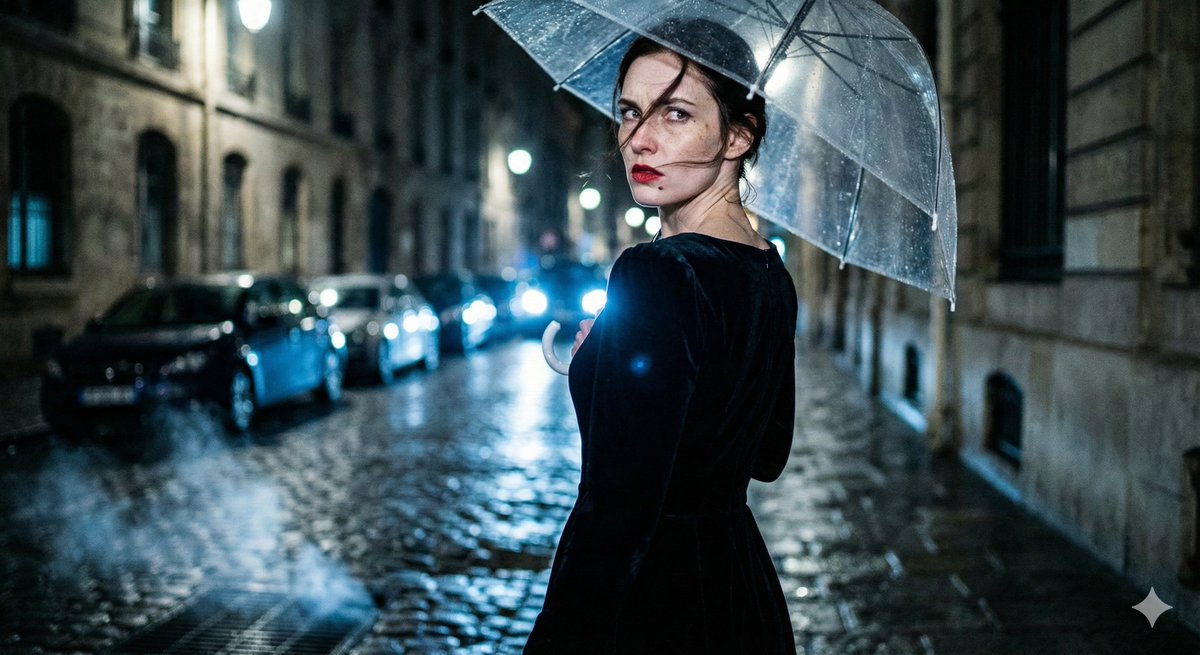
0
Times used
0
Likes
Unlocking a New Era of Digital Art: The "Create a Masterpiece" AI Style
In the rapidly evolving world of AI image generation, the quest for quality is paramount. Every user, from professional digital artists to marketing professionals and hobbyists, has faced the same challenge: translating a brilliant idea into a visually stunning, high-fidelity image. You type in a prompt, but the result is often flat, blurry, or lacks the photorealistic punch you envisioned. The endless tweaking of prompts—adding "4k," "highly detailed," "unreal engine"—can feel like a guessing game. This is where Orno, your advanced AI image editor, changes the game with the revolutionary "Create a Masterpiece" style.
This isn't just another filter or a simple setting. The "Create a Masterpiece" style is a sophisticated, pre-engineered prompt foundation designed to elevate your creative output to a professional standard. It's your one-click solution to bypass the noise and command the AI to produce images with breathtaking realism, impeccable quality, and profound artistic depth. If you're ready to move beyond basic AI generations and start crafting digital masterpieces, this guide will illuminate how this powerful Orno style is your new essential tool.
What Exactly is the "Create a Masterpiece" Style?
At its core, the "Create a Masterpiece" style is a carefully constructed set of instructions for our AI model. When you select this style in Orno, you are essentially applying the prompt "How to masterpiece, best quality, photorealistic:1." to your own unique idea. While it may look simple, each component is a powerful command that guides the AI toward a specific, high-end outcome. Let's break it down.
Decoding "Masterpiece"
The word "masterpiece" is more than just a flattering adjective. In the context of AI image generation, it acts as an artistic guide. It tells the AI to draw upon its vast training data of celebrated art and photography. It instructs the model to prioritize principles of great art:
- Composition: The AI will strive for balanced and visually appealing arrangements of subjects and elements, considering rules like the rule of thirds and leading lines. -
- Lighting: It emphasizes dramatic, natural, or cinematic lighting that adds depth, mood, and realism to the scene.
- Detail and Texture: The AI focuses on rendering intricate details—the texture of fabric, the glint in an eye, the grain of wood—that contribute to a richer, more immersive final image.
Using "masterpiece" primes the AI to think like an artist, not just a machine rendering pixels.
The "Best Quality" Mandate
This is a direct and unambiguous command. While many users add quality-related terms to their prompts, including "best quality" in a pre-tuned style like this one ensures the AI allocates its processing power to technical excellence. This instruction helps to:
- Minimize Artifacts: It actively works to reduce common AI issues like distorted hands, strange blurs, or nonsensical background elements.
- Maximize Resolution: The AI aims for the highest possible clarity and sharpness, producing images that look crisp on screens of all sizes.
- Enhance Cohesion: It ensures all elements within the image are rendered with a consistent level of quality, creating a more believable and unified scene.
The Power of "Photorealistic:1"
This is perhaps the most technically significant part of the style. The term "photorealistic" is straightforward—it pushes the AI to create an image that looks like a photograph taken with a real camera. However, the ":1" is a form of prompt weighting. It acts as an amplifier, telling the AI that photorealism is not just a suggestion; it's the primary objective. This emphasis forces the model to meticulously replicate the nuances of real-world physics, light, and materials, resulting in images that can be indistinguishable from actual photographs.
How to Generate Flawless AI Images with the "Masterpiece" Style in Orno
One of the greatest advantages of this style is its simplicity. Orno's intuitive interface integrates this powerful tool seamlessly into your creative workflow. You don't need to be a prompt engineering expert to get expert results. Here’s how easy it is:
- Navigate to the Orno AI Generator: Log in to your Orno account and open our state-of-the-art text-to-image tool.
- Write Your Core Idea: In the prompt box, focus on describing the subject of your image. Don't worry about adding quality descriptors—the style will handle that. For example, type "An elegant calico cat sitting on a stack of antique books in a sunlit library."
- Select the Style: Browse Orno's curated library of AI generation styles and click on "Create a Masterpiece." You'll see the style tag appear, confirming it's active.
- Generate Your Art: Click the "Generate" button and watch as Orno combines your creative idea with the "Masterpiece" instructions to produce a stunning, photorealistic image in seconds.
That's it. You've harnessed the power of a complex, expertly crafted prompt with a single click, saving you time and frustration while dramatically improving your results.
Creative Applications: What Can You Create with the "Masterpiece" Style?
The "Create a Masterpiece" style is incredibly versatile, making it the perfect choice for a wide range of applications. It excels in any scenario where detail, realism, and artistic quality are critical.
Hyper-realistic Portraits and Character Concepts
Create stunning portraits that capture every nuance of emotion and detail. The style is perfect for generating character concepts for stories, games, or just for fun. It renders skin textures, hair strands, and reflective light in the eyes with astonishing accuracy.
Example Prompt: "Close-up portrait of a rugged, weathered sailor with a kind smile, dramatic side lighting" + Create a Masterpiece Style
Breathtaking and Expansive Landscapes
Turn simple landscape descriptions into epic, high-resolution vistas. Generate images of serene beaches, majestic mountain ranges, or mystical forests that feel like real, explorable places. The AI's understanding of light and atmosphere creates scenes filled with depth and mood.
Example Prompt: "An Icelandic black sand beach with basalt columns at sunset, gentle waves crashing" + Create a Masterpiece Style
Professional Product Mockups and Architectural Visualizations
For marketers, designers, and architects, this style is a powerhouse. Create clean, high-fidelity mockups of products in realistic settings or generate photorealistic visualizations of architectural designs. The emphasis on quality and realistic lighting makes for convincing and professional commercial imagery.
Example Prompt: "A luxury wristwatch with a leather strap displayed on a dark marble surface, soft studio lighting" + Create a Masterpiece Style
Detailed Still Life and Food Photography
Craft artistic still life images that rival the work of a professional photographer. The "Masterpiece" style can render the intricate textures of food, the reflective properties of glass and metal, and the delicate play of shadows, making it ideal for creating mouth-watering food imagery or classic art compositions.
Example Prompt: "A rustic wooden table with a freshly baked loaf of bread, a wedge of cheese, and a glass of red wine, morning light from a window" + Create a Masterpiece Style
Frequently Asked Questions about the "Create a Masterpiece" Style
What does the ":1" in "photorealistic:1" actually do?
The ":1" is a syntax for prompt weighting. In many AI models, you can emphasize or de-emphasize certain words by assigning them a numerical weight. A weight of 1 is a standard baseline, but by explicitly stating it, we ensure the AI gives the concept of "photorealistic" its full and undivided attention, prioritizing it over other potential interpretations of the prompt.
Can I use this style for fantasy or sci-fi images?
Absolutely! This is one of its most exciting applications. When you combine a fantastical subject (e.g., "a majestic dragon") with the "Create a Masterpiece" style, you get the best of both worlds. The AI will render your imaginative concept with the textures, lighting, and physical presence of a real-world creature, a technique known as "grounded fantasy" or "hyperrealism." The result is a more believable and awe-inspiring image.
How is this style different from me just typing "masterpiece, best quality, photorealistic" into the prompt box myself?
While you can certainly type those words yourself, Orno's pre-built styles are more than just text shortcuts. Our team has tested and fine-tuned this specific combination of words and weighting to work optimally with our specific AI model. This ensures you get consistent, reliable, and superior results every time you click it, removing the guesswork and variability that can come from manual prompting.
Is the "Create a Masterpiece" style free to use in Orno?
Yes. At Orno, we believe that powerful creative tools should be accessible to everyone. The "Create a Masterpiece" style is available to all Orno users, allowing everyone to experience the pinnacle of AI image quality regardless of their subscription plan.
Your Vision, Perfected with Orno
The "Create a Masterpiece" style is more than a feature; it's a new philosophy for AI creation. It’s about empowering you to be the art director, focusing on your core creative vision while Orno’s advanced technology handles the complex execution. No more fighting with the AI to get the quality you deserve. No more settling for "good enough." This is your tool for creating images that are not just generated, but truly crafted.
Ready to transform your ideas into photorealistic works of art? To see the stunning difference that a focus on quality and artistry can make? Dive into the Orno AI Image Editor, type your most ambitious idea, and select the "Create a Masterpiece" style. The next level of AI image generation is here, and it's just one click away.
Use This Prompt
Transform your images with AI
Save this prompt as its own icon for one-tap access.