
Create a long Layered Cut With Loose
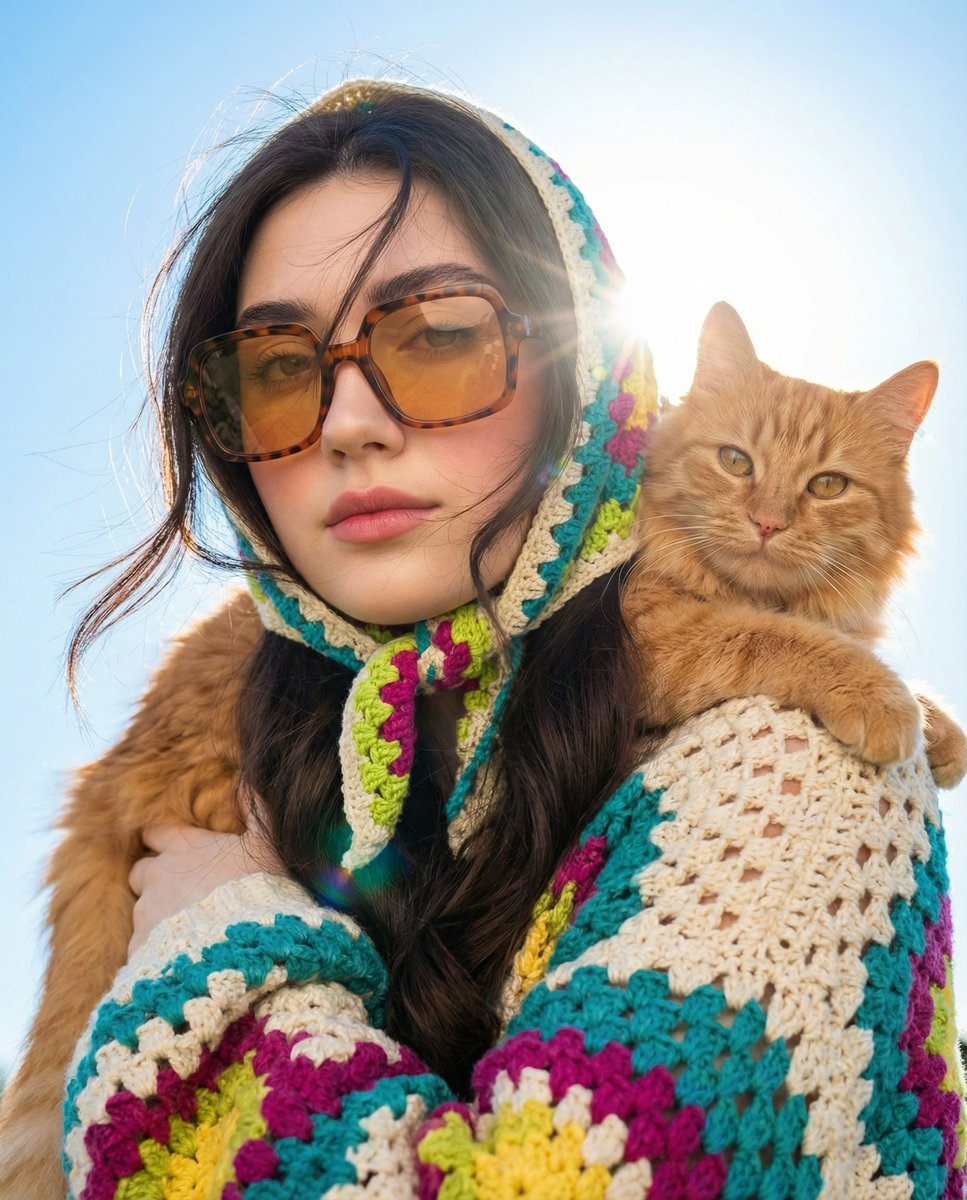
How to long layered cut with loose wind-blown strands and dark bangs under the headscarf
0
Times used
0
Likes
Unlocking Effortless Elegance: A Deep Dive into the "Long Layered Cut With Loose" AI Image Style
In the vast universe of AI image generation, some prompts capture a mood so perfectly they become instant classics. They evoke a story, a feeling, and a distinct aesthetic with just a few words. The "Long Layered Cut With Loose" style is a prime example of this digital artistry. It’s more than just a description of a hairstyle; it’s a portal to creating images filled with movement, mystery, and an undeniable sense of chic. This guide will explore every facet of this captivating AI art style, showing you how to master it using the Orno AI image editor to produce breathtaking, photorealistic visuals.
Whether you're a digital artist, a writer seeking character inspiration, a social media manager crafting the perfect visual, or simply a creative soul exploring the possibilities of text-to-image technology, this style offers a world of potential. Prepare to learn how to transform a simple text prompt into a dynamic portrait that feels alive.
Deconstructing the Prompt: The Anatomy of a Perfect AI-Generated Hairstyle
What makes the "Long Layered Cut With Loose" prompt so effective? Its power lies in the combination of specific, descriptive elements that guide the AI with precision. Each phrase contributes to a cohesive and compelling final image. Let’s break down the core components.
The Long Layered Cut: Building the Foundation of Movement
The base of this style is the "long layered cut." In the world of hairstyling, layers are designed to create volume, texture, and movement. When you use this term in an AI image generator like Orno, you're instructing the AI to render hair that isn't flat or uniform. The AI understands the concept of varying lengths, allowing it to generate hair that has depth and a natural, flowing quality. This is the crucial foundation upon which the other, more dynamic elements are built. Without the "layered cut," the wind-blown effect might look less realistic and more chaotic.
Loose, Wind-Blown Strands: Capturing a Fleeting, Dynamic Moment
This is where the magic happens. The phrase "loose, wind-blown strands" transforms a static portrait into a snapshot of a moment in time. It injects energy and narrative into the image. Is she walking down a breezy city street? Standing on a windswept cliff? The possibilities are endless. Orno’s advanced AI model excels at interpreting this instruction, rendering individual strands of hair that realistically catch an invisible breeze. It’s the key to creating an image that feels authentic and full of life, moving beyond a simple studio portrait to something far more cinematic and engaging.
Dark Bangs Under a Headscarf: A Frame of Mystery and Style
The final element, "dark bangs under the headscarf," adds layers of context, contrast, and intrigue. The headscarf is a powerful accessory that can suggest culture, fashion, or personal style. It provides a block of color or pattern that contrasts beautifully with the flowing hair. The "dark bangs" peeking out from underneath serve to frame the face, draw attention to the eyes, and add a touch of alluring mystery. This combination of elements is a masterclass in visual composition, creating a focal point and adding a rich narrative layer to your AI-generated character.
How to Create the "Long Layered Cut With Loose" Style in Orno
Bringing this stunning visual to life is incredibly simple with the Orno AI image editor. Our platform is designed to be intuitive, allowing you to focus on your creative vision without getting bogged down in complex technical commands. Here’s how you can generate your own masterpiece in just a few steps:
- Step 1: Navigate to the Orno Editor. Open our powerful and user-friendly text-to-image tool.
- Step 2: Enter the Core Prompt. In the prompt box, type the foundational phrase: "A woman with a long layered cut with loose, wind-blown strands and dark bangs under a headscarf."
- Step 3: Add Your Own Flair (Optional). Before you generate, consider adding a few more details to guide the AI. We'll cover this in-depth in the next section.
- Step 4: Generate and Refine. Click the "Generate" button and watch as Orno’s AI brings your description to life in seconds. Don’t love the first result? Generate again or tweak your prompt to refine the image until it’s perfect.
Customization is Key: Fine-Tuning Your AI Masterpiece
The base prompt is your starting point, not your final destination. The true power of Orno lies in its ability to understand natural language, allowing for infinite customization. Think of yourself as a director and the AI as your talented artist. Here are some ideas to modify and personalize the "Long Layered Cut With Loose" style:
- Vary the Hair Color and Style: Instead of "dark bangs," try "fiery red bangs" or "platinum blonde bangs." You can also change the main hair color by specifying "auburn long layered cut" or "jet black hair." * Describe the Headscarf: Give the headscarf more character. Use prompts like "a red silk headscarf with a floral pattern," "a simple black cotton headscarf," or "a bohemian patterned bandana." * Control the Environment and Lighting: Place your character in a scene to enhance the story. Add phrases like "on a Paris street at dusk," "on a sunny beach," or "in a neon-lit alleyway." Control the mood with lighting cues such as "dramatic cinematic lighting," "soft morning light," or "golden hour glow." * Define the Artistic Medium: Want something other than a photorealistic image? Orno can do that too. Add style descriptors like "digital painting," "watercolor illustration," "35mm film photograph," "Unreal Engine render," or "anime art style." * Refine the Subject's Expression: Guide the emotion of the image by adding "a serene expression," "a slight, knowing smile," or "a determined gaze."
By combining these elements, you can create a truly unique image. For example: "Photorealistic portrait of a woman with an auburn long layered cut, loose wind-blown strands, and dark bangs under a patterned silk headscarf, walking on a city rooftop at sunset, cinematic lighting, shot on 35mm film."
Creative Applications: Where This AI Style Shines
The versatility of the "Long Layered Cut With Loose" style makes it an invaluable tool for a wide range of creative and professional projects. The high-quality images generated by Orno can be used in numerous ways:
- Character Design: Writers, game developers, and illustrators can instantly visualize characters for their stories and projects, creating detailed concept art that brings their vision to life.
- Social Media Content: Create stunning, unique profile pictures, story backgrounds, and feed posts that stop the scroll and capture attention. It's perfect for fashion bloggers, lifestyle influencers, and brands looking for an elevated aesthetic.
- Fashion and Mood Boards: Stylists and designers can use this prompt to explore different looks, test accessory combinations, and create compelling mood boards for new collections or client presentations.
- Digital Art and Illustration: Artists can use the AI-generated image as a base for their own digital paintings or photobashing projects, saving hours of work on composition and lighting.
- Marketing and Branding: Develop unique and royalty-free visuals for ad campaigns, website banners, or promotional materials that resonate with a modern, sophisticated audience.
Frequently Asked Questions (FAQ)
What exactly is the "Long Layered Cut With Loose" AI prompt?
It is a descriptive text-to-image prompt used in AI image editors like Orno to generate a specific aesthetic. It creates a portrait of a subject with a long, layered hairstyle that appears to be blowing in the wind, often featuring bangs peeking out from under a headscarf. It's celebrated for creating images that are dynamic, stylish, and full of implied narrative.
Can I change the ethnicity or age of the person in the image?
Absolutely. Orno's AI is designed to be inclusive. You can easily modify the prompt by adding descriptors. For example, you could specify "An elderly East Asian woman with..." or "A young South American woman with..." to guide the AI in generating a more specific and representative image.
Do I need to be an expert in "prompt engineering" to use this style in Orno?
Not at all. While prompt engineering can help you achieve highly specific results, Orno is built for ease of use. The "Long Layered Cut With Loose" style works beautifully with its basic phrasing. Our platform excels at interpreting natural, descriptive language, making it accessible for beginners while still offering deep customization for experts.
Can I generate images in different aspect ratios for social media?
Yes. Orno provides settings to adjust the aspect ratio of your generated images. You can easily create vertical images perfect for Instagram Stories (9:16), square images for your feed (1:1), or wide images for a website banner (16:9), all while using the same creative prompt.
Are the images I create with Orno AI free to use for my projects?
Orno offers various plans to suit different needs. Depending on your subscription, the images you generate can be used for both personal and commercial projects. We always recommend reviewing our terms of service for the specific details regarding usage rights to ensure you're covered for your intended use case.
Begin Your Creative Journey with Orno Today
The "Long Layered Cut With Loose" style is more than a trend; it's a testament to how AI can be a powerful partner in creative expression. It allows anyone to become a digital artist, capable of producing professional-quality images that tell a story and evoke emotion. With the Orno AI image editor, the barrier between your imagination and a finished masterpiece has never been lower.
We invite you to experience the power and simplicity of our platform. Dive in, experiment with the prompt, add your own unique modifiers, and discover the endless creative possibilities. Start creating your own breathtaking, wind-blown portraits today and see where your imagination takes you.
Use This Prompt
Transform your images with AI
Save this prompt as its own icon for one-tap access.