
Create a lo-fi Analog Film — Lifted
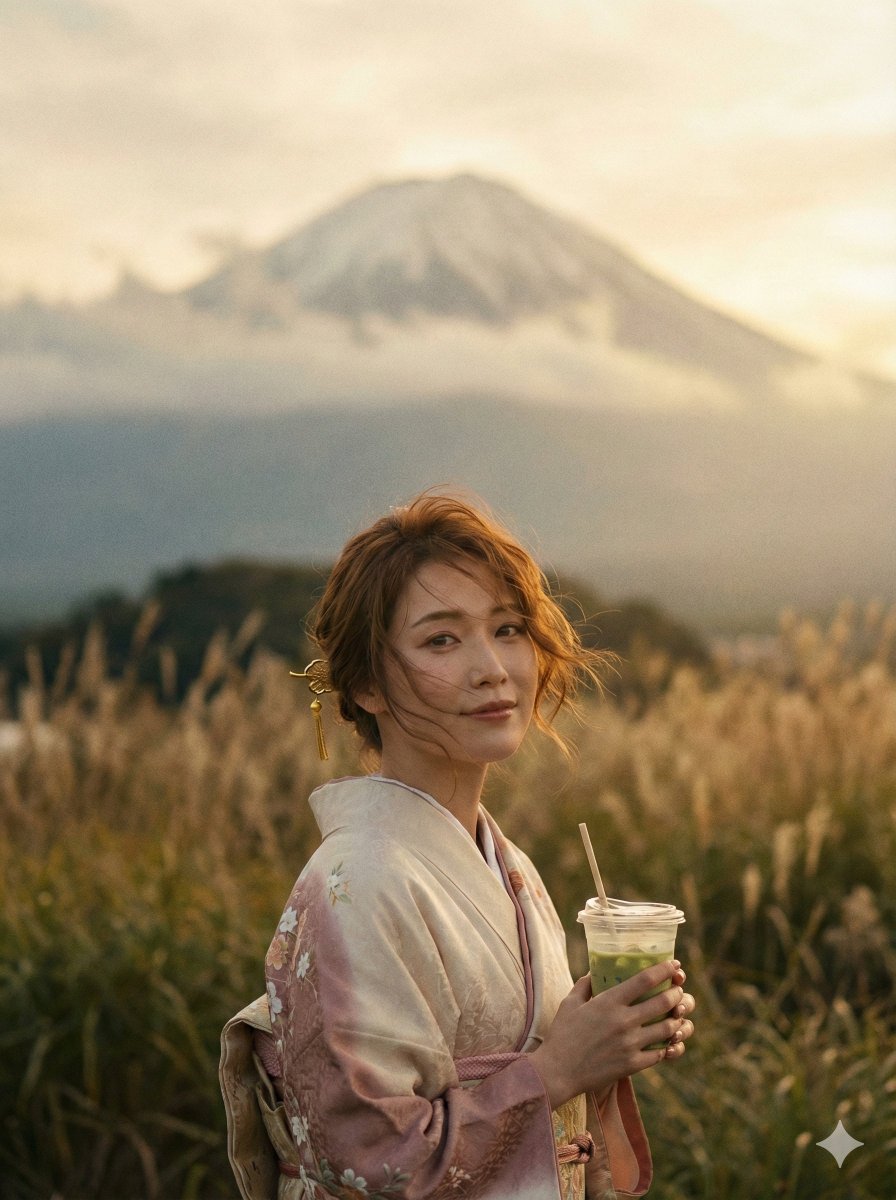
How to lo-fi analog film — lifted blacks, desaturated muted tones, warm amber-sepia cast, flat contrast, hazy softness, visible grain, sun-bleached 1970s...
0
Times used
0
Likes
The Ultimate Guide to the "Lo-fi Analog Film — Lifted" AI Image Style
There's a certain magic to photographs from a bygone era. They possess a warmth, an imperfection, and a tangible soul that modern digital images often lack. It's the feeling of discovering a box of old family photos in the attic—the faded colors, the soft focus, the gentle grain. This nostalgic aesthetic, particularly from the 1970s, evokes a sense of freedom, authenticity, and sun-drenched memories. But what if you could capture that timeless vibe not with a vintage camera and expensive film, but with the power of artificial intelligence? Welcome to the world of the "Lo-fi Analog Film — Lifted" style, a revolutionary AI image generation prompt available right here in Orno.
This comprehensive guide will explore every facet of this beloved style. We'll deconstruct its key visual elements, delve into the psychology behind its appeal, and show you how to master it using Orno's intuitive AI image editor. Whether you're a seasoned digital artist or a curious newcomer to text-to-image generation, you'll learn how to create stunning, retro-inspired visuals that feel both authentic and dreamlike.
What Defines the Lo-fi Analog Film — Lifted Aesthetic?
This style is more than just a simple "vintage filter." It's a carefully crafted combination of specific photographic characteristics that work in harmony to transport the viewer back in time. Orno's AI has been meticulously trained to understand and replicate these nuances. Let's break down the core components:
- Lifted Blacks: In digital and film photography, "blacks" refer to the darkest parts of an image. In a typical modern photo, blacks are deep and rich (true black). The "Lo-fi Analog Film — Lifted" style intentionally "lifts" these blacks, turning them into a faded, milky gray or a deep, warm brown. This single element is crucial for creating that washed-out, aged-paper look and immediately reduces the image's digital harshness.
- Desaturated Muted Tones: Forget vibrant, hyper-realistic colors. This aesthetic is all about subtlety. Colors are desaturated, meaning they are less intense and closer to grayscale. The tones are "muted," lacking the punchy contrast of modern imagery. This creates a soft, gentle, and often melancholic mood that feels introspective and personal.
- Warm Amber-Sepia Cast: This is the heart of the style's warmth. Unlike a flat, one-note sepia filter, this is a complex color cast. It infuses the highlights with a soft, amber glow (like golden hour sunlight) while pushing the mid-tones and shadows toward a gentle sepia. This combination creates a rich, cohesive color palette that feels genuinely like aged film emulsion.
- Flat Contrast: High contrast creates sharp, dramatic images. This style does the opposite. By flattening the contrast, the difference between the brightest and darkest parts of the image is reduced. This contributes to the hazy, dreamy quality and ensures that no single element shouts for attention, allowing the entire scene to blend together harmoniously.
- Hazy Softness: Vintage lenses weren't as clinically sharp as today's optics. They were prone to flaring and softness, which added character. The "Lo-fi Analog Film" style replicates this with a subtle, hazy softness. It’s not a blurry or out-of-focus look, but rather a gentle diffusion of light that makes the image feel less like a perfect digital rendering and more like a captured memory.
- Visible Grain: Digital noise is often seen as a flaw, but film grain is a cherished artifact. Grain is the random, textured appearance in analog photos caused by small metallic silver particles. Orno’s AI adds a fine, realistic grain structure to the images, providing a tactile quality that grounds the image in the physical world of film photography.
- Sun-Bleached 1970s Vibe: All these elements combine to create the quintessential "sun-bleached 1970s" aesthetic. It's the look of a photograph left on a car dashboard for a summer, its colors softened and warmed by the sun. It evokes feelings of road trips, music festivals, and lazy, endless afternoons.
How Orno's AI Perfects the Analog Film Look
While you could spend hours trying to craft a complex prompt in other AI image generators, Orno simplifies the entire process. Our "Lo-fi Analog Film — Lifted" is not just a command; it's a finely-tuned artistic model. The AI understands the interplay between lifted blacks and flat contrast, it knows how to apply a warm cast without overpowering the subject, and it generates grain that looks natural, not like a cheap overlay.
This means you can focus on the most important part: your creative idea. Instead of wrestling with technical terms, you simply select the style and describe your scene. This makes Orno the ideal AI image editor for both beginners who want instant, beautiful results and professionals who need a reliable, high-quality vintage aesthetic for their projects.
Creative Ideas & Example Prompts for the Lo-fi Style
The beauty of this style is its versatility. It can lend a timeless, emotional quality to almost any subject. Here are some ideas and sample prompts to get you started in Orno:
Portraits and People
This style is phenomenal for portraits, adding a layer of introspection and narrative. It softens features and creates a candid, "found footage" feel.
A close-up portrait of a woman with freckles and flowing hair, looking thoughtfully out a window, lo-fi analog film -- liftedA candid shot of two friends laughing on a city stoop in the late afternoon, 1970s fashion, lo-fi analog film -- liftedA musician with an acoustic guitar sitting on an old amplifier, soft light from a single lamp, lo-fi analog film -- lifted
Landscapes and Environments
Transform ordinary landscapes into evocative, moody scenes that feel like the backdrop to a classic film.
An empty desert highway stretching to the horizon at sunset, hazy mountains in the distance, lo-fi analog film -- liftedA foggy forest scene with tall pine trees and a narrow dirt path, lo-fi analog film -- liftedA sun-bleached California beach with a vintage van parked on the sand, lo-fi analog film -- lifted
Objects and Still Life
Give everyday objects a sense of history and importance with this nostalgic treatment.
A vintage record player with a vinyl spinning, dust motes floating in a sunbeam, lo-fi analog film -- liftedA classic American muscle car from the 1970s parked on a suburban street, lo-fi analog film -- liftedAn old, worn book and a pair of glasses resting on a wooden table, lo-fi analog film -- lifted
Frequently Asked Questions (FAQ)
What exactly are "lifted blacks" in photography?
Lifted blacks, also known as faded or crushed blacks, are a color grading technique where the darkest point in an image is raised on the brightness curve. Instead of being pure black (a value of 0), the darkest pixels are elevated to a shade of gray or a dark, tinted color. This technique reduces overall contrast and is a hallmark of vintage film processing, giving photos a soft, aged, and non-digital appearance.
How does the "Lo-fi Analog Film" style differ from a simple sepia or vintage filter?
A simple filter typically applies a uniform color overlay to an entire image. Orno's "Lo-fi Analog Film — Lifted" style is a comprehensive generative model. It doesn't just tint the image; it reconstructs the entire scene based on the principles of analog photography. It intelligently adjusts contrast, saturation, sharpness, grain, and color balance—treating highlights, mid-tones, and shadows differently—to create an authentic, multi-layered aesthetic that a basic filter cannot replicate.
What kinds of images work best with this AI style?
While incredibly versatile, this style truly shines with subjects that have a nostalgic or timeless quality. Think classic cars, retro fashion, natural landscapes, candid portraits, and quiet, moody interiors. It's perfect for creating anything from a fake 1970s family photo to a concept for an indie album cover. That said, experimenting with modern subjects can create a fascinating and powerful juxtaposition!
How do I combine my own ideas with this pre-set style in Orno?
It's incredibly simple! In the Orno prompt box, you first describe the subject, composition, and mood of the image you want to create. Then, you simply add the style command at the end. For example: "A lone figure walking on a beach at dusk, long shadows" becomes "A lone figure walking on a beach at dusk, long shadows, lo-fi analog film -- lifted". The AI will generate your described scene, rendered entirely within the visual language of the chosen style.
Why is Orno the best tool for creating vintage and retro AI images?
Orno is designed for artists and creators who value both quality and efficiency. Our pre-trained styles, like "Lo-fi Analog Film," are developed by experts to be best-in-class. This saves you the time and frustration of trial-and-error prompting. Our AI is optimized for artistic cohesion, ensuring that elements like grain, color, and softness work together perfectly, giving you consistently beautiful and authentic results every time.
Create Your Own Sun-Bleached Memories Today
The "Lo-fi Analog Film — Lifted" style is more than just a prompt; it's a portal to a different time. It’s a way to infuse your digital creations with the warmth, character, and emotional resonance of analog photography. Whether you're aiming to capture a specific memory or invent a dreamlike past, this style provides the perfect visual toolkit.
Stop chasing complicated prompts and start creating. Dive into Orno's AI image editor, select this powerful style, and watch as your ideas are transformed into hazy, sun-drenched masterpieces. Your nostalgic journey awaits.
Use This Prompt
Transform your images with AI
Save this prompt as its own icon for one-tap access.