
Create a hyper-realistic 8K Street Portrait 2
How to hyper-realistic 8K street portrait, preserve the girl’s facial features from the reference.
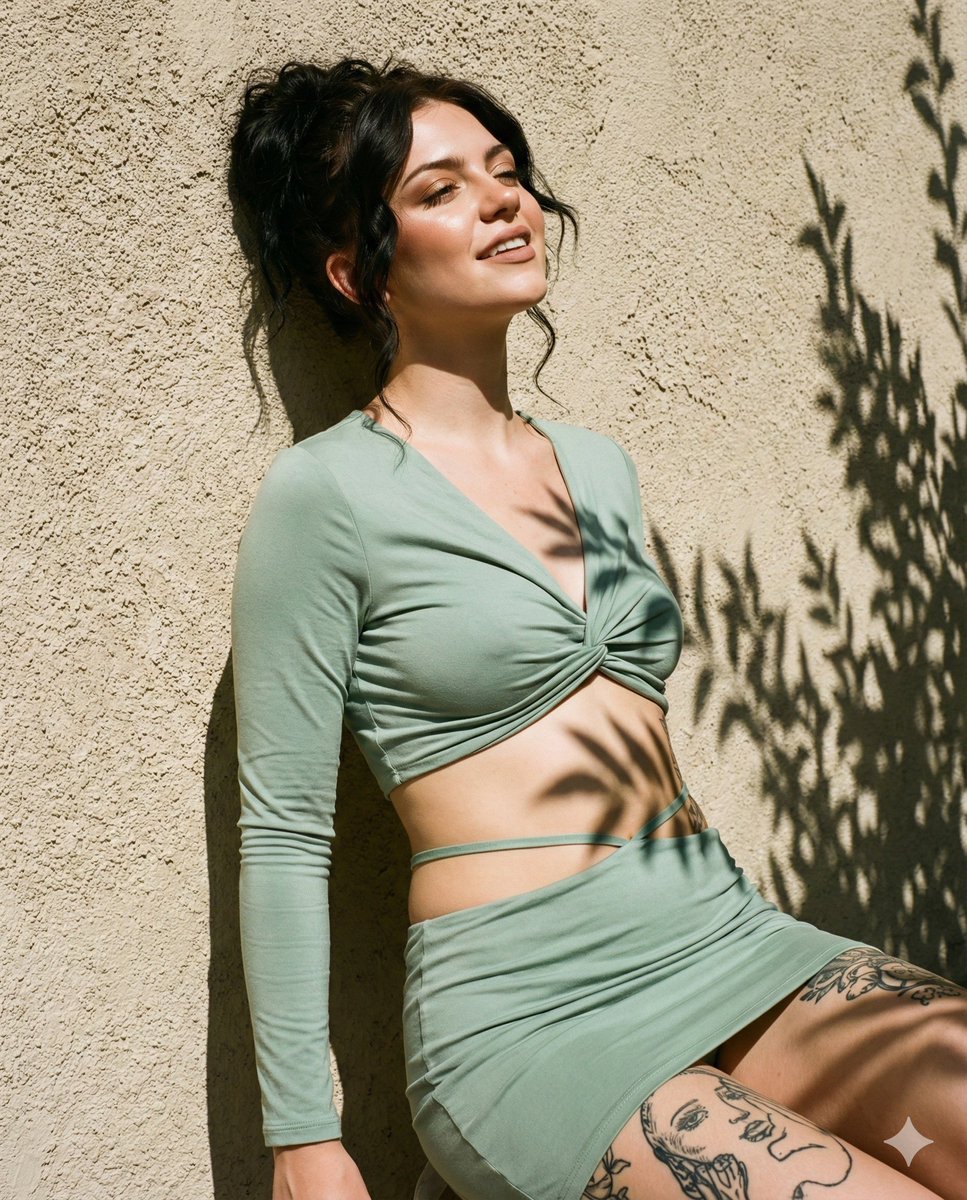
0
Times used
0
Likes
Unlock the Future of Photography: The Ultimate Guide to Orno’s "Hyper-realistic 8K Street Portrait 2" Style
In the rapidly evolving world of digital art and photography, the quest for realism has reached a new frontier. AI image generators have promised to turn simple text prompts into stunning visuals, yet they often fall short in one critical area: creating lifelike, consistent, and recognizable human portraits. We’ve all seen the results—a generated face that looks vaguely like our idea but lacks the soul and specific features of a real person. What if you could combine the creative power of AI with the unique identity of a real human subject? What if you could create breathtaking, professional-grade street photography without ever leaving your desk, all while preserving the facial features of a person from a reference photo?
Welcome to the next generation of AI artistry. Orno’s groundbreaking style, "Create a hyper-realistic 8K Street Portrait 2," is not just another filter or effect. It's a sophisticated AI model designed to solve the biggest challenge in AI portraiture: facial consistency and realism. This article delves deep into this powerful tool, exploring how it works, how you can master it, and how it’s set to revolutionize the way creators, photographers, and artists bring their visions to life.
What Exactly Is the "Hyper-realistic 8K Street Portrait 2" Style?
To truly appreciate the power of this tool, let's break down its name. Each component signifies a core feature that sets it apart from generic AI image generators.
Hyper-realism: Beyond Just Looking Real
The term "hyper-realism" in AI generation goes far beyond a simple photorealistic output. It's about capturing the subtle imperfections and nuances that trick our brains into believing an image is a photograph. This Orno style excels at rendering:
- Authentic Skin Textures: From pores and fine lines to subtle blemishes and natural sheens, the AI model understands how light interacts with skin to create a believable, non-airbrushed look.
- Realistic Lighting and Shadows: It masterfully simulates complex lighting scenarios found in urban environments—the soft glow of golden hour, the sharp contrast of midday sun, the moody ambiance of neon-lit alleys, and the way light realistically wraps around facial contours.
- Natural Depth of Field: The style intelligently creates a beautiful bokeh effect, blurring the background to make the subject pop, just as a professional photographer would with a high-end lens.
- Lifelike Eyes: The eyes are the window to the soul, and this AI model pays special attention to them, creating realistic reflections (catchlights), depth, and emotion that breathe life into the portrait.
8K Resolution: Detail That Matters
In a world of high-definition screens, resolution is paramount. The "8K" in this style's name promises an exceptional level of detail. An 8K resolution image (approximately 7680x4320 pixels) is packed with information, offering several key advantages:
- Unprecedented Clarity: Zoom in and marvel at the intricate details—the texture of clothing, individual strands of hair, the subtle reflections in the subject's eyes.
- Professional Print Quality: These high-resolution images are perfect for large-format printing, whether for a personal art piece, a gallery exhibition, or a commercial campaign.
- Future-Proofing Your Art: As display technology advances, your 8K creations will remain sharp, vibrant, and impressive for years to come.
- Flexible Cropping: The massive resolution gives you the freedom to crop your image significantly without losing quality, allowing you to discover new compositions within a single generation.
Street Portrait: Capturing Candid Urban Moments
This style is finely tuned to the aesthetics of street photography. It doesn’t just place a person against a city backdrop; it creates a cohesive scene with a story. It understands the genre's key elements, including candid poses, dynamic environments, and authentic emotional expressions. The AI can generate scenes in iconic locations like Tokyo, New York, or Paris, or create a universally relatable urban vibe, complete with atmospheric elements like rain-slicked pavement, rising steam, and bustling crowds in the background.
The Secret Sauce: Preserving Facial Features
This is the true game-changer. The core description of the style is "preserve the girl’s facial features from the reference." While the prompt mentions "girl," this technology works flawlessly for any gender. Unlike other AI tools that generate a random face based on a prompt, Orno’s engine uses your uploaded reference photo as a blueprint for the subject's face. It intelligently analyzes the key facial structures—eye shape, nose, mouth, and jawline—and rebuilds them within a completely new, AI-generated scene. This means you can create a consistent character across multiple scenarios, place yourself or a model into fantastical settings, or generate a professional portfolio without an expensive photoshoot. It’s the ultimate tool for personalized and consistent AI art.
A Step-by-Step Guide: Creating Your First Masterpiece with Orno
Ready to create a stunning street portrait? Orno makes this advanced technology incredibly accessible. Follow these simple steps to generate your first hyper-realistic image.
Step 1: Choose Your Style
Navigate to the style library within the Orno AI image editor. Find and select the "Create a hyper-realistic 8K Street Portrait 2" style. This will load the specialized model, ready for your creative input.
Step 2: Upload Your Reference Photo
This is the most crucial step for facial preservation. Click the upload button and select a clear, well-lit photograph of the person you want to feature. For best results, use a photo where the subject's face is:
- Facing forward or in a slight three-quarter turn.
- Evenly lit, without harsh shadows obscuring key features.
- High enough in resolution for the AI to analyze the details.
Step 3: Write a Descriptive Prompt
While the style and reference photo do most of the heavy lifting, your text prompt guides the AI in building the world around your subject. Be descriptive! Think like a photographer setting up a shot. Consider the location, lighting, mood, and even the subject's clothing or expression. Here are some examples to inspire you:
"A portrait of a young woman on a bustling street in Tokyo at night, neon signs glowing in the background, cinematic lighting, rain-slicked pavement."
"A handsome man with a thoughtful expression, sitting at a Parisian cafe in the afternoon, soft golden hour sunlight, shallow depth of field."
"Close-up portrait, a person with freckles looking directly at the camera, windy day in New York City, hair blowing in the wind, wearing a leather jacket."
Step 4: Generate and Refine
Click the "Generate" button and watch as Orno brings your vision to life. The AI will produce a unique image that blends your reference photo's facial features with the scene described in your prompt. Don't be afraid to experiment! Generate a few variations. Tweak your prompt by changing the time of day, the location, or the mood to see how it affects the outcome. The possibilities are truly endless.
Pro Tips for Jaw-Dropping Results
Once you've mastered the basics, use these advanced techniques to elevate your AI street portraits from great to breathtaking.
Leverage Negative Prompts
A negative prompt tells the AI what you don't want to see in the image. This is a powerful way to refine the output and avoid common AI artifacts. A good standard negative prompt to use with this style is: (deformed, bad anatomy, disfigured, poorly drawn face, mutation, extra limb, ugly, poorly drawn hands, missing limb, blurry, floating limbs, disconnected limbs, malformed hands, out of focus, long neck, long body, 3d, cartoon, anime).
Master Atmospheric Keywords
Control the mood of your portrait with specific keywords related to atmosphere and lighting. Try including terms like:
- Lighting: "cinematic lighting," "golden hour," "blue hour," "dramatic side lighting," "soft rim light," "neon glow."
- Weather & Atmosphere: "foggy morning," "drizzling rain," "sun-drenched," "hazy afternoon," "steam rising from vents."
- Environment: "cobblestone street," "graffiti-covered wall," "futuristic cityscape," "crowded market."
Direct the Camera
You can even act as the photographer by including camera and lens terminology in your prompt. This gives you incredible control over the final composition. Experiment with:
- Shot Types: "extreme close-up," "medium shot," "full-body shot," "cowboy shot."
- Camera Angles: "low-angle shot," "high-angle shot," "Dutch angle," "point-of-view shot."
- Lens Effects: "shot on 85mm lens," "f/1.8 aperture," "lens flare," "anamorphic."
Frequently Asked Questions (FAQ)
What kind of reference photo provides the best results?
A clear, high-quality headshot or selfie works best. Ensure the face is well-lit, free of heavy shadows, and not obscured by hands, hair, or objects. The AI needs to clearly see the facial structure to replicate it accurately.
Can I use this style for any gender or age?
Absolutely! Although the style description mentions "girl," the underlying technology is universal. It works fantastically for men, women, and people of all ages and ethnicities. The key is providing a clear reference photo.
What does 8K resolution really mean for my final image?
It means your image will be incredibly large and detailed, typically around 7680 by 4320 pixels. This makes it suitable for professional use, including large prints, digital billboards, and detailed post-production work where you might want to zoom in and edit specific areas without losing quality.
Will the generated portrait look exactly like a photo of the person?
The AI's goal is to preserve the person's key facial features and likeness, not to create a direct copy of the reference photo. It re-imagines the person within a completely new artistic scene, including new lighting, pose, and environment. The result is a new, original piece of art that is clearly recognizable as the person in your photo.
Do I need to be a professional photographer to use this tool?
Not at all! That's the beauty of Orno's "Hyper-realistic 8K Street Portrait 2" style. It encapsulates the skills of a professional photographer—understanding of light, composition, and mood—into an easy-to-use tool. While prompters with a photography background may have an edge in crafting prompts, anyone can achieve stunning results with a little experimentation.
Use This Prompt
Transform your images with AI
Save this prompt as its own icon for one-tap access.