
Create a highly Realistic Portrait 2
How to a highly realistic portrait of a man based on the original model (facial structure, hairstyle and body must be 100% identical to the reference...
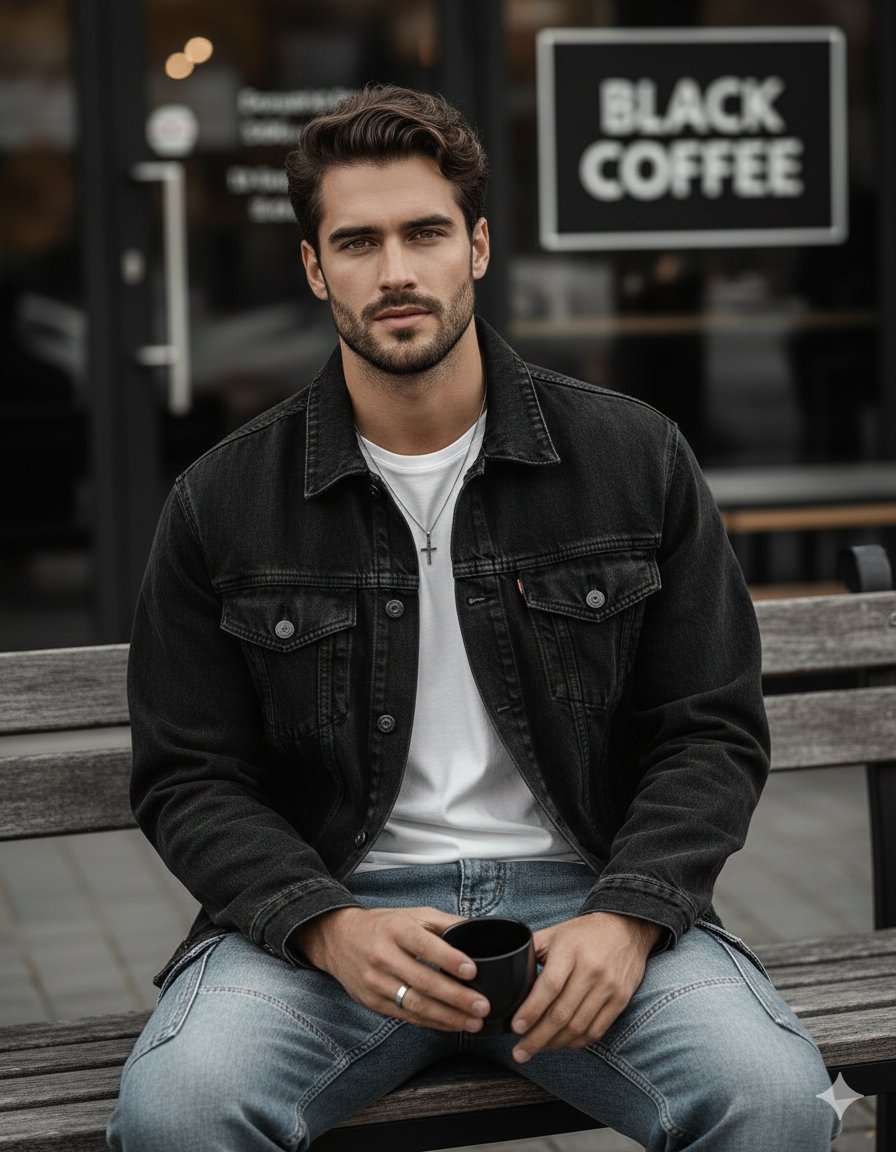
0
Times used
0
Likes
Unlocking Unprecedented Realism: A Deep Dive into Orno's "Create a highly Realistic Portrait 2" Style
In the rapidly evolving world of AI image generation, the quest for true photorealism and character consistency has been the ultimate goal for creators. We’ve all seen AI-generated images that are stunningly beautiful but fail to capture the same person twice. A character’s jawline shifts, their eyes change color, or their signature hairstyle morphs into something entirely new from one generation to the next. This frustrating lack of consistency can bring creative projects to a halt. Enter Orno's groundbreaking style: "Create a highly Realistic Portrait 2".
This isn't just another filter or a generic portrait setting. It's a sophisticated AI model designed for one crucial purpose: to create breathtakingly realistic portraits of a subject while maintaining 100% fidelity to the original model's core features. This article will explore the power of this unique style, guiding you on how to leverage it within Orno to create consistent, lifelike AI characters and portraits that were once the exclusive domain of professional 3D artists and photographers.
What Exactly is the "Create a highly Realistic Portrait 2" Style?
At its core, the "Create a highly Realistic Portrait 2" style is an advanced AI instruction set focused on high-fidelity character replication. When you use this style in Orno, you are telling the AI to prioritize the source model above all else. The magic lies in its ability to understand and lock in the fundamental attributes of a person's appearance.
This means the AI meticulously preserves:
- Facial Structure: The precise shape of the jaw, the distance between the eyes, the structure of the nose, and the contour of the cheeks remain identical to your reference.
- Hairstyle and Color: Whether it's a complex hairstyle or a specific shade of hair, the AI ensures it is replicated with stunning accuracy in every image.
- Body Type: The build and physique of the model are kept consistent, ensuring the character you create is believable across multiple scenes and poses.
Unlike other AI portrait generators that might interpret a prompt and create a *new* person who simply fits a description, this Orno style uses your reference as an unbreakable blueprint. The creativity comes from changing the world *around* your character—the lighting, the environment, the clothing, the mood—while the person themselves remains perfectly, recognizably consistent.
The Power of Consistency in AI-Powered Creativity
Why is this level of consistency a game-changer? The applications are virtually limitless. For anyone working on a project that requires a recurring character, this style solves the biggest headache of AI art generation.
- Storytellers and Authors: Imagine bringing the protagonist of your novel to life. With this style, you can generate dozens of illustrations for your book or social media, depicting your character in various scenes and emotional states, all while looking like the exact same person.
- Game Developers and Concept Artists: Quickly visualize and iterate on character designs. Create a consistent model sheet showing a character from different angles or in different outfits without spending hours on 3D modeling or digital painting.
- Marketers and Brands: Develop a unique and consistent AI-generated brand ambassador or virtual influencer. Use them in marketing campaigns across different platforms with a cohesive and recognizable identity.
- Content Creators: Establish a consistent digital persona or avatar for your YouTube channel, Twitch stream, or social media profiles. Your audience will always recognize your unique digital likeness.
By guaranteeing that the facial structure and core features are "100% identical," Orno empowers creators to move beyond single, disconnected images and build entire narratives and visual worlds with reliable, consistent characters.
How to Master "Create a highly Realistic Portrait 2" in Orno: A Step-by-Step Guide
Unlocking the potential of this powerful tool is straightforward. Follow these steps to start generating your own photorealistic and consistent AI portraits with Orno.
Step 1: Provide a Clear Reference
The quality of your output depends heavily on the quality of your input. Start by uploading a clear, well-lit reference photo of your subject. For best results, use a photo where the face is clearly visible, facing forward, and under neutral lighting. This gives the Orno AI the best possible data to work with to lock in the facial structure.
Step 2: Select the Style
Navigate to Orno’s extensive style library and choose "Create a highly Realistic Portrait 2". Selecting this style tells our AI engine to prioritize consistency and photorealism based on your reference model.
Step 3: Write Your Descriptive Prompt
This is where your creativity comes into play. Since the AI already knows *who* to create, your prompt should focus on *what* they are doing, *where* they are, and *how* they should look. Think of yourself as a film director setting a scene. The character's core identity is fixed; your job is to direct their action, environment, and mood.
Pro Tip: Structure your prompt by describing the scene, lighting, clothing, and expression. Here are some examples:
- For a cinematic, moody shot:
A highly detailed portrait of a man standing on a neon-lit street in Tokyo at night, rain-slicked pavement, wearing a black trench coat, pensive expression, cinematic lighting, shot on 85mm lens. - For a professional headshot:
A professional corporate headshot of a man in a modern office, wearing a navy blue suit and a white shirt, soft studio lighting, blurred background, confident smile. - For a fantasy character concept:
A portrait of a man as a rugged fantasy ranger, wearing leather armor, standing in an ancient forest at sunrise, god rays filtering through the trees, determined look, ultra realistic.
Step 4: Generate and Refine
Click "Generate" and watch Orno bring your vision to life. The AI will produce a stunningly realistic portrait that maintains the exact facial features of your reference while incorporating all the creative details from your prompt. If the first result isn't perfect, you can easily tweak your prompt—perhaps change the lighting from "cinematic" to "golden hour" or the expression from "pensive" to "a slight smirk"—and generate again. Orno’s fast and intuitive interface makes iteration a breeze.
Frequently Asked Questions (FAQ)
What is the main difference between "Realistic Portrait" and "Create a highly Realistic Portrait 2"?
While both styles aim for realism, the key difference is consistency. A standard "Realistic Portrait" style might create a photorealistic person based on a prompt, but it may not perfectly match a reference photo across multiple generations. "Create a highly Realistic Portrait 2" is specifically engineered for fidelity. It locks onto the reference model's facial structure, hair, and body to ensure that every image you generate is of the very same person, enabling true character consistency.
Can I use this style for subjects other than men?
The description for this specific style is optimized for creating a highly realistic portrait of a man. However, the underlying technology and principles are a core part of the Orno platform. You can find similar high-fidelity styles in our library designed for other genders and subjects. The fundamental concept of using a reference to create consistent AI characters is a feature we are constantly expanding upon for all users.
What type of reference photo yields the best results?
For optimal results, use a high-resolution image where the subject's face is front and center, well-illuminated with even lighting (avoid harsh shadows), and free from obstructions like sunglasses or hats covering the hair. A clear, neutral expression also helps the AI capture the base facial structure accurately before you add emotional expressions via your text prompts.
Does Orno allow me to save my character for future use?
Orno's platform is designed with creative workflows in mind. Once you've created a character you love using the "Create a highly Realistic Portrait 2" style, you can easily reuse the same seed or reference image in new projects. This workflow is central to maintaining consistency and building a library of your unique AI-generated characters over time.
Conclusion: Your Vision, Perfectly Realized
The "Create a highly Realistic Portrait 2" style is more than just a feature; it's a solution to one of the biggest challenges in AI art. It bridges the gap between a single, beautiful image and a cohesive, narrative-driven series of visuals. By providing the tools for unparalleled realism and unwavering consistency, Orno puts the power of a professional digital artist's studio right at your fingertips.
Whether you're an author, a game developer, a marketer, or simply a creative enthusiast looking to explore the frontiers of AI, this style will transform what you thought was possible. Stop wrestling with inconsistent results and start building worlds with characters you can count on.
Ready to create your first perfectly consistent, photorealistic AI character? Dive into Orno, select the "Create a highly Realistic Portrait 2" style, and bring your vision to life today!
Use This Prompt
Transform your images with AI
Save this prompt as its own icon for one-tap access.