
Create a fashion Editorial Interpretation
How to fashion editorial interpretation of the image provided, maintaining the nano-level of accuracy of all key elements.
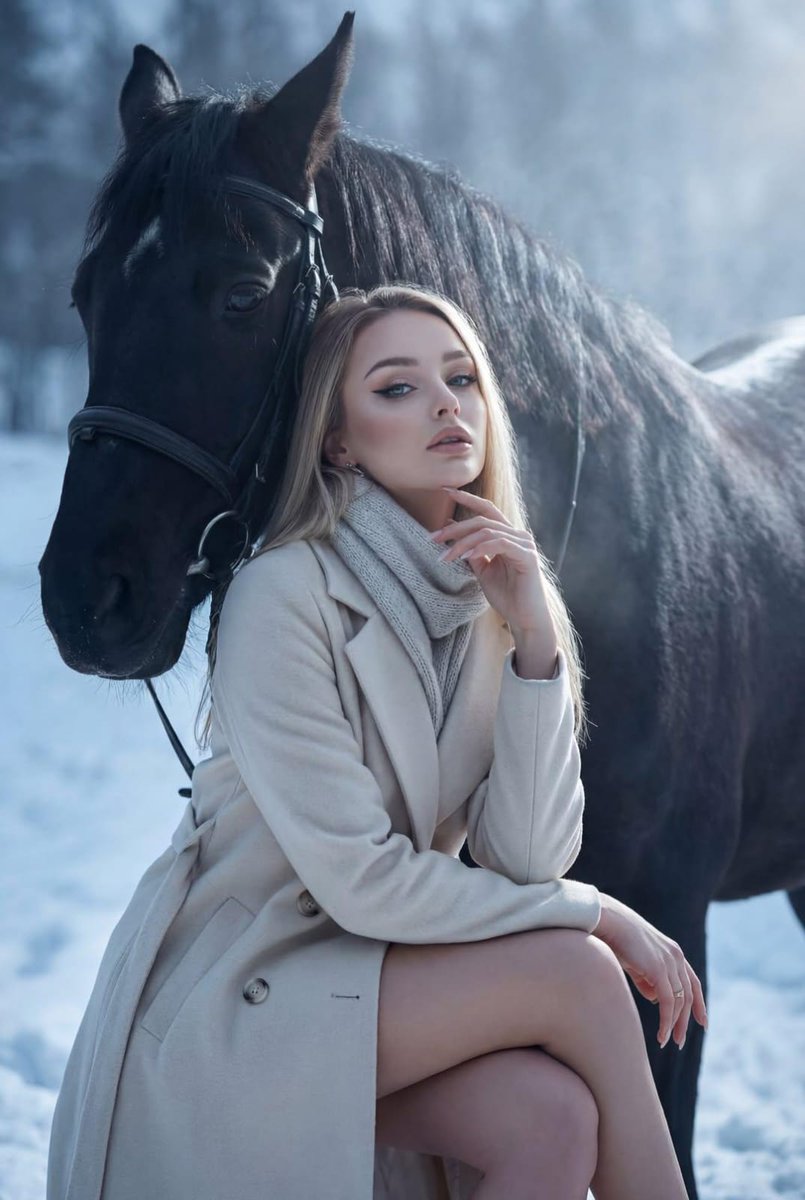
0
Times used
0
Likes
Unlocking High-Fashion Imagery: A Deep Dive into Orno's "Create a Fashion Editorial Interpretation" Style
Imagine the glossy pages of Vogue, Harper's Bazaar, or Numéro. The images are more than just photographs of clothing; they are narratives, moods, and aspirational fantasies captured in a single frame. A traditional fashion editorial shoot is a monumental undertaking, requiring a team of photographers, stylists, models, makeup artists, and location scouts, not to mention a significant budget. But what if you could harness the power and aesthetic of a high-fashion shoot with just a few clicks? Welcome to the future of fashion visualization, powered by Orno's "Create a fashion Editorial Interpretation" AI style.
This revolutionary tool is not just another image filter. It's an advanced AI model designed to take your source image—be it a simple product photo, a design sketch, or a basic concept—and reinterpret it as a stunning, professional fashion editorial. The magic, however, lies in its core directive: "maintaining the nano-level of accuracy of all key elements." This means your vision remains intact, elevated, and ready for the runway, lookbook, or social media feed. This article will explore the depths of this powerful style, who it's for, and how you can use it to transform your creative concepts into photorealistic masterpieces.
What Exactly is the "Create a Fashion Editorial Interpretation" Style?
At its heart, this Orno style is a sophisticated AI-powered art director and virtual photographer rolled into one. It analyzes the composition, subject, and crucial details of your input image and then rebuilds the entire scene through the lens of high-fashion photography. It understands the nuances that define the editorial aesthetic: dramatic lighting, compelling compositions, evocative settings, and a sense of elevated reality.
Unlike generic AI image generators that might produce a random "fashion-style" image, Orno’s tool performs a meticulous interpretation. It asks, "How would a world-class photographer shoot this specific garment, on this model, for a major magazine?" The result is a seamless blend of your original concept and a polished, professional execution. This is the essence of AI fashion photography—a collaborative process between human creativity and artificial intelligence to produce something truly unique and commercially viable.
Why Nano-Level Accuracy is a Game-Changer in AI Fashion Generation
For anyone in the fashion industry, details are everything. The precise cut of a lapel, the unique texture of a woven fabric, the specific Pantone shade of a dress—these are the elements that define a brand and a collection. A significant frustration with many AI image generation tools has been their tendency to "hallucinate" or alter these critical details, rendering the output useless for professional purposes.
Orno's "Create a fashion Editorial Interpretation" style was built to solve this exact problem. The "nano-level of accuracy" means the AI is trained to prioritize and preserve the integrity of your product. Here’s what that looks like in practice:
- Garment Integrity: If you upload a photo of your new trench coat, the AI will retain the exact number of buttons, the style of the belt, the stitching on the seams, and the way the fabric drapes. It doesn't invent a new coat; it places your real coat into a new, fantastic reality.
- Model Consistency: The model's pose, expression, and key features are respected. The AI enhances the mood and lighting but doesn't replace the core subject, leading to more predictable and controllable results.
- Brand Elements: Logos, unique patterns, and signature design elements are maintained. This is crucial for creating on-brand marketing materials that are both innovative and instantly recognizable.
This focus on high-fidelity results moves AI-generated fashion from a novelty to an indispensable tool for designers, brands, and marketers who demand precision and quality.
Who Can Benefit from this AI Fashion Editorial Style?
The applications for this powerful tool span the entire creative and commercial landscape of the fashion world. It democratizes access to high-end visuals, enabling creators at every level to produce compelling content.
Fashion Designers & Brands
For designers, the journey from sketch to final product is long and expensive. This AI style can revolutionize that workflow. You can upload a technical drawing or a photo of a prototype on a mannequin and instantly visualize how it looks in a full-blown editorial campaign. This is perfect for internal presentations, investor pitches, pre-launch marketing, and creating stunning digital lookbooks without the cost of a physical photoshoot.
Photographers & Art Directors
Far from replacing photographers, this tool acts as a powerful assistant. Use it for pre-visualization to create detailed mood boards and storyboards that communicate your exact vision to clients and teams. You can test different lighting setups, locations, and moods before stepping on set, saving valuable time and resources. Furthermore, it opens up a new service offering: virtual photography, where you can augment existing client photos or create entirely new digital campaigns.
Marketers & Social Media Managers
The demand for fresh, high-quality content is relentless. Orno's editorial style allows you to create a near-endless stream of on-brand, eye-catching visuals for social media, email newsletters, and ad campaigns. Imagine A/B testing five different editorial concepts for a new product launch in a single afternoon. You can generate content that is perfectly tailored to different platforms and audience segments, boosting engagement and conversion rates.
Stylists & Influencers
Build your personal brand and showcase your styling prowess without needing a physical wardrobe. Create virtual "get the look" collages, experiment with avant-garde fashion concepts, and develop a unique visual aesthetic that makes your feed stand out. It's a playground for creative expression and a powerful tool for digital storytelling.
How to Use "Create a Fashion Editorial Interpretation" in Orno: A Step-by-Step Guide
Getting started with Orno's AI image editor is intuitive. Follow these steps to direct your first virtual fashion shoot.
- Provide a Clear Source Image: The quality of your output is directly related to the quality of your input. Start with a clear image where the key elements are well-defined. This could be a clean product shot on a white background, a photo of a model, a detailed sketch, or even a high-quality 3D render.
- Select the Style: Within the Orno interface, navigate to the style library and select "Create a fashion Editorial Interpretation." This will load the specialized AI model ready for your image.
- Write a Descriptive Prompt: While the style is powerful on its own, you can guide the AI with a text prompt. This is where you play the role of art director. Be specific about the environment, lighting, and overall mood you want to achieve.
- Generate and Refine: Click the generate button and watch as Orno transforms your image. Don't be afraid to generate several variations. You can tweak your prompt to get closer to your vision—change the location, adjust the time of day, or specify a different photographic style.
Prompting Tips for Jaw-Dropping Fashion Editorials
Mastering the art of prompt engineering will elevate your results from great to breathtaking. Think of your prompt as a creative brief for the AI.
Setting the Scene
Describe the location in detail. Instead of "outdoors," try "A windswept cliffside on the Isle of Skye at dusk." Instead of "city," try "A rain-slicked street in Neo-Tokyo, illuminated by neon signs."
- Examples: "minimalist brutalist architecture," "an overgrown Victorian greenhouse," "a sun-drenched beach in Tulum," "an opulent baroque library."
Mastering the Mood & Lighting
Lighting is the soul of photography. Use descriptive words to control the atmosphere of your image. This is key to creating a truly editorial feel.
- Examples: "dramatic chiaroscuro lighting," "soft, hazy morning light," "cinematic golden hour glow," "hard flash photography with sharp shadows," "ethereal, dream-like atmosphere."
Specifying Photographic Details
To achieve a truly professional look, include terms related to photography. This tells the AI what kind of "camera" and "lens" to use.
- Examples: "shot on a Hasselblad medium format camera," "8k, hyper-detailed, photorealistic," "35mm film grain, analog style," "shallow depth of field with beautiful bokeh," "Vogue Italia editorial style."
Orno: Your AI Co-Pilot for the Future of Fashion
What sets Orno apart in the crowded field of AI image generation is its dedication to professional-grade control and accuracy. The "Create a fashion Editorial Interpretation" style is a testament to this philosophy. It's a tool built not just to create pretty pictures, but to solve real-world problems for creative professionals. By bridging the gap between a raw concept and a polished, high-fashion editorial while preserving the crucial details of your design, Orno empowers you to create at the speed of thought.
Combine this style with Orno's full suite of editing tools—like upscaling for print-quality resolution and inpainting for minute adjustments—and you have a complete digital studio at your fingertips. Stop just imagining your next campaign; start creating it.
Frequently Asked Questions (FAQ)
Can I use my own brand's product photos as the source image?
Absolutely. In fact, this is one of the most powerful use cases. Using your actual product photos ensures the AI accurately represents your items, making the final editorial image perfect for marketing and e-commerce purposes.
How does the "nano-level accuracy" feature actually work?
The AI model has been specifically trained with a focus on image-to-image interpretation rather than pure text-to-image generation. It is weighted to give high priority to preserving the structural and textural data from the source image (the garment, the model's pose) while taking greater creative liberties with the background and ambient elements (lighting, location, mood).
Are the images generated with this style suitable for commercial use?
Yes, the images you create with Orno are designed for professional and commercial applications. As with any AI-generated content, we always recommend you review the terms of service and are aware of the copyright and licensing landscape in your region to ensure full compliance.
What's the difference between this style and just typing "fashion editorial photo" into a generic AI generator?
The difference is control and reliability. A generic generator will produce a random image based on its interpretation of the text, which may have no resemblance to your product or vision. Orno's "Create a fashion Editorial Interpretation" style uses your source image as the undeniable foundation, ensuring the final output is a true interpretation of your concept, not a random guess.
Do I need to be an expert in prompt writing to get good results?
Not at all. The style is designed to produce excellent results with just a source image. However, learning a few basic prompting techniques, like specifying location and lighting as described above, will act as a creative multiplier, allowing you to unlock an even wider range of stunning visual outcomes.
Use This Prompt
Transform your images with AI
Save this prompt as its own icon for one-tap access.